Only 1.1% of 12.2 million TikTok clips in one 2026 analysis included an added voiceover track, yet videos using a creator's own voice averaged 10.79% engagement across the viral videos examined, according to the TTS Vibes analysis of TikTok voiceover engagement. That gap is the opportunity behind AI voice over on TikTok. Narration remains relatively uncommon, but it can make a faceless video clearer, more memorable, and easier to localize when the voice sounds like part of the content rather than a software demo.
The catch is that convenience creates two serious risks. A generic synthetic voice can trigger an immediate swipe, while TikTok's native text-to-speech workflow can leave you with an audio asset that's difficult to reuse across Reels, Shorts, paid ads, and brand libraries. The practical solution isn't to avoid AI narration. It's to treat the voice as a production asset, with deliberate casting, rights checks, script adaptation, and audio-to-visual editing.
Why Most AI Voiceovers Fail on TikTok
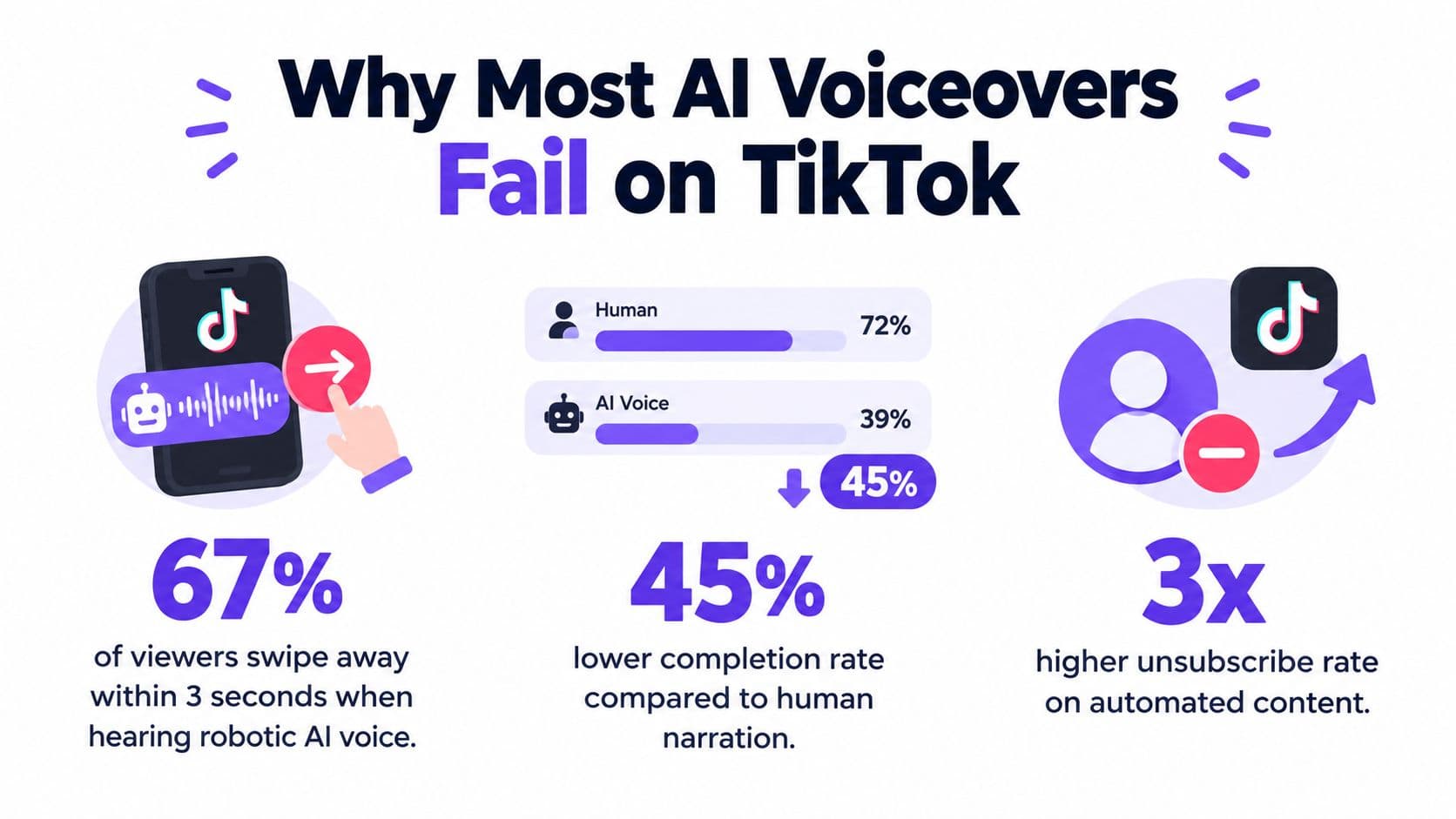
Generic AI voices often lose attention before the message begins. Their familiar cadence, perfect pronunciation, evenly spaced pauses, and stock emotional inflection make the production process obvious. Once narration sounds interchangeable, viewers have less reason to trust the account's point of view. The problem becomes sharper during rising action, when people decide whether the setup deserves another few seconds.
A 21,541-video panel study covering 3,647 creators associated AI-generated voice use with lower downstream engagement. In the study's analysis, likes fell 5.4%, comments 5.2%, and shares 7.4%, as reported in AI-generated voice use on TikTok. The decline was strongest during rising action, so synthetic narration should not spend the opening seconds warming up. Lead with the consequence, tension, or surprising detail, then use the voice to explain it.
Replace polish with recognition
The fix is controlled variation, not random mistakes. Remove the cues that make every sentence feel generated, then edit the track around the way people speak.
- Write for speech: Use short clauses, contractions, and concrete verbs. A script that looks clean on a page can sound rigid aloud.
- Change the rhythm: Combine clipped statements with a longer explanation. Place a pause before the reveal instead of after every phrase.
- Cast for the niche: Finance explainers, beauty tutorials, gaming clips, and horror stories need different registers, energy levels, and accents.
- Use controlled imperfection: A less familiar voice, slightly unusual pacing, or conversational register can feel more creator-native than a highly polished stock voice.
- Cut aggressively: Remove any sentence that adds no information, tension, or personality before generating the audio.
Human narration still has a persuasion advantage. A 2024 four-study analysis of short-video advertising found that human voiceovers reduced cognitive load and improved purchase intention compared with AI voiceovers, as summarized in the analysis of human and AI voiceovers in short-video advertising. AI narration can suit tutorials and product explainers because the information itself carries much of the message. Testimonials, sensitive subjects, and emotional ads usually call for a real speaker or a carefully authorized clone.
Native TikTok TTS can also create an operational dead end. It is quick for a one-off post, but the resulting audio is harder to treat as a reusable brand asset across Reels, Shorts, paid campaigns, and content libraries. Generate the narration outside the final TikTok assembly, retain the source file, and record the voice choice, script version, and permission status. A practical AI voice workflow helps structure that process, while this guide to making viral TikTok audio covers recording and placement mechanics.
The voice must earn its place in the first line.
Building a Cross-Platform Voiceover Workflow
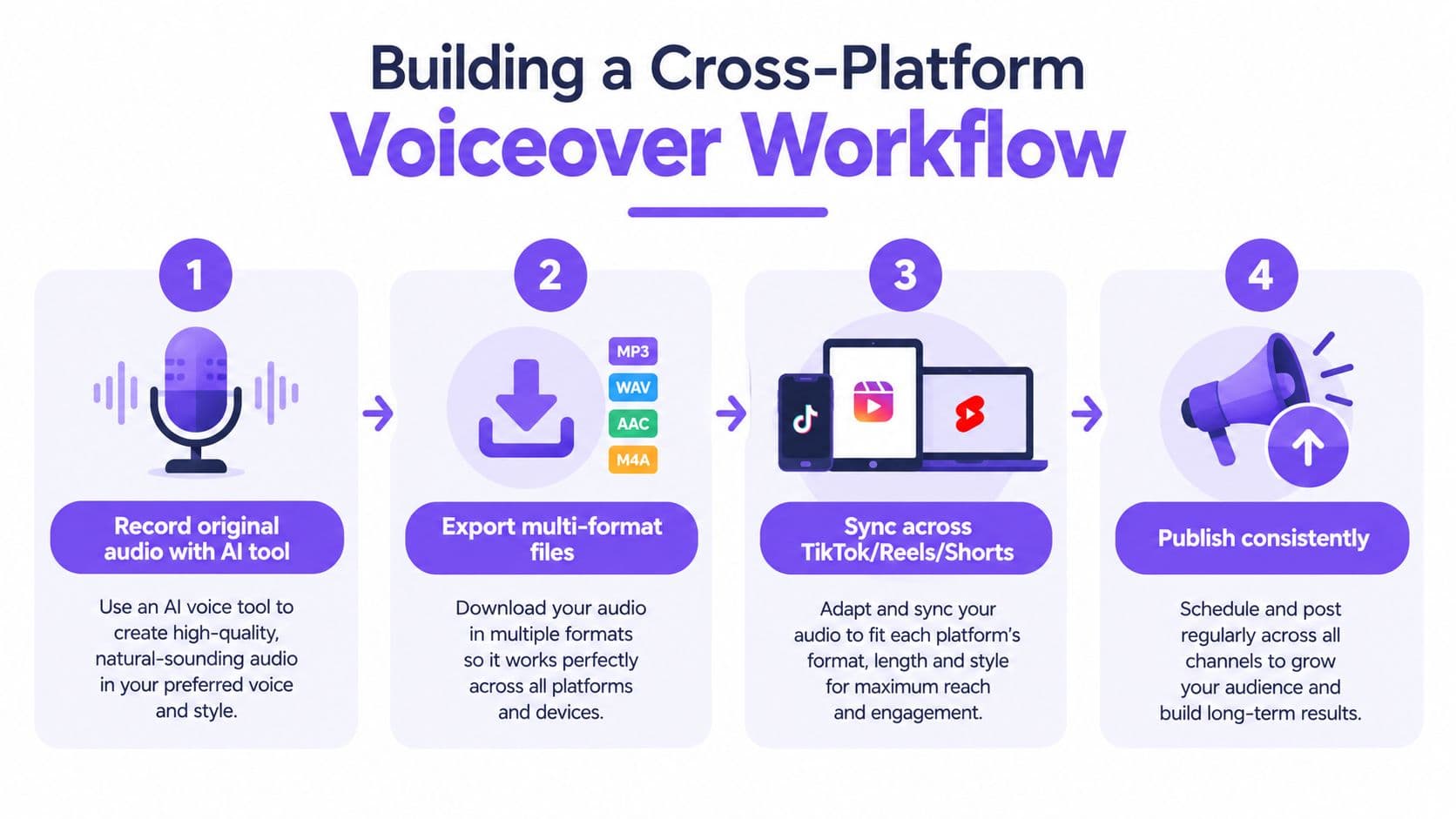
A native TikTok voiceover can solve a single-post problem, but it creates friction once the same creative needs to run on YouTube Shorts, Instagram Reels, an ecommerce landing page, or a paid campaign. Build the narration before the final platform edit. Keep the source files, version history, and approval record with the project so the voice remains a reusable brand asset.
Start with the script, not the voice
Write one master script, then adapt it for each destination. Keep the core claim consistent, while changing the opening, caption references, and call to action. TikTok can use a direct curiosity hook. A paid ad may need a clearer product promise and disclosure language.
Edit for speech before generating audio. Read the copy aloud. Mark emphasis, add punctuation where the voice should breathe, and spell out abbreviations that the engine may misread. Test every brand name, technical term, and product model as a separate phrase before producing the full track. A pronunciation error in the first sentence can cost more retention than a mediocre visual.
Choose or clone a voice with permission
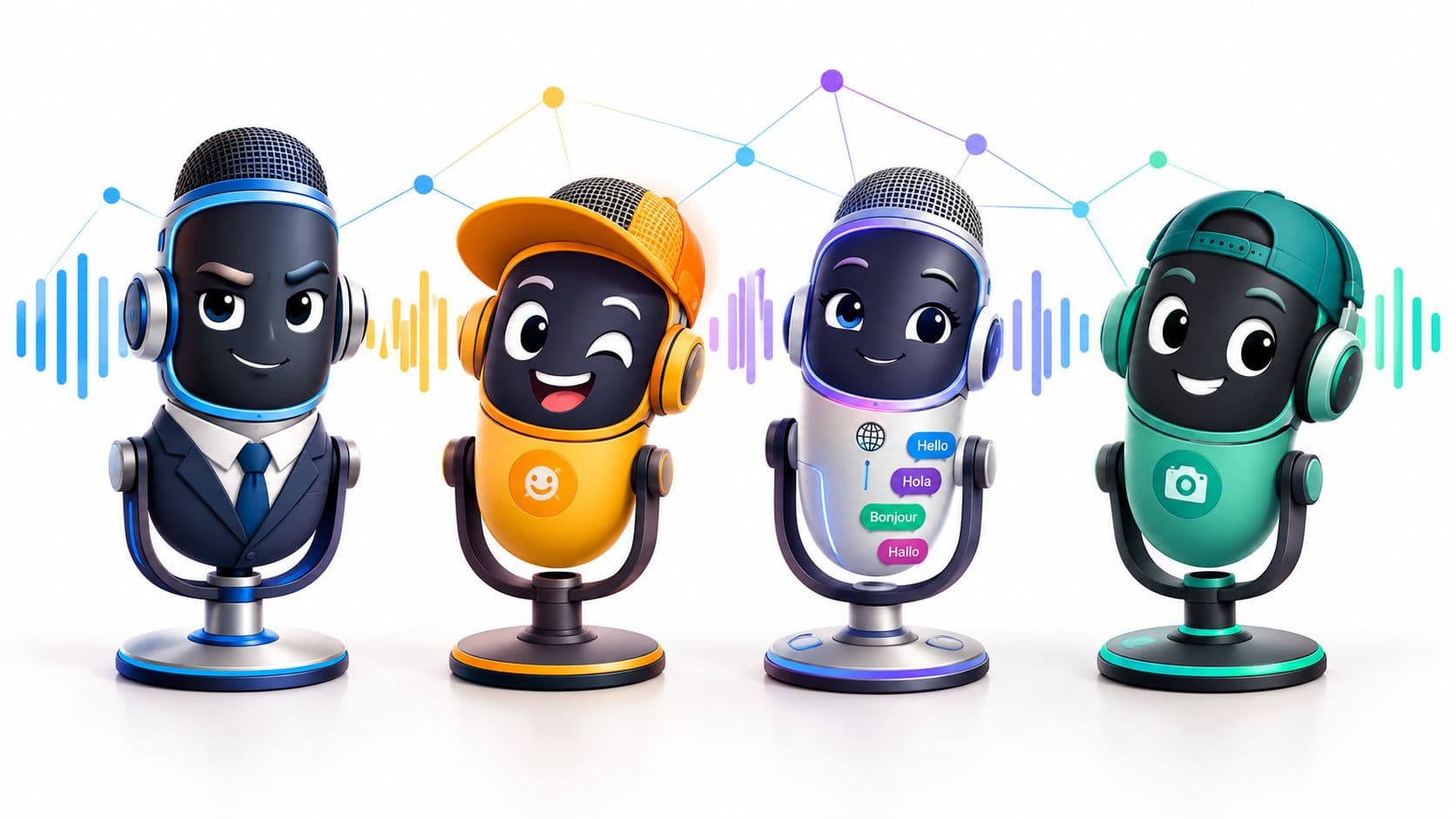
A consistent licensed voice can help a recurring faceless channel build recognition without recording every post. Brands should use a voice actor agreement that clearly permits synthetic use, commercial distribution, editing, localization, and reuse across the intended platforms. Do not clone an employee, customer, celebrity, or creator without explicit permission for that use.
A workflow such as Hooked can generate voiceovers and export videos prepared for TikTok. Dedicated voice platforms may offer finer control over pronunciation, delivery, and file formats. The tool choice matters less than the asset policy around it. Record who approved the voice, which account owns the output, where the file may be used, and whether paid amplification is permitted.
Generate, edit, and sync
Create separate takes for the hook, body, and call to action instead of generating one uninterrupted paragraph. Editors can then shorten the setup, move the reveal, or replace one claim without regenerating the entire narration.
Adjust speed after the visual cut exists. A voice that sounds natural alone may drag against fast B-roll, while an accelerated read can make a tutorial difficult to follow. Export clean narration separately from music and sound effects. Keep the original project file, and label versions by language, script revision, voice, and usage status.
Build the asset library
Store the master audio, edited mix, transcript, captions, consent documentation, and license details together. Keep a platform-neutral version without TikTok stickers, interface elements, or music that may be unavailable on another service. Create platform-specific edits from that clean master.
The process requires more discipline than pressing TikTok's text-to-speech button, but it avoids unnecessary re-recording and protects reusable assets. Apply your standard editing checklist for cuts, captions, and exports before final assembly.
Navigating Voice Rights and Platform Portability
The most expensive mistake isn't choosing a voice that sounds slightly artificial. It's building a campaign around audio you can't legally or operationally reuse.
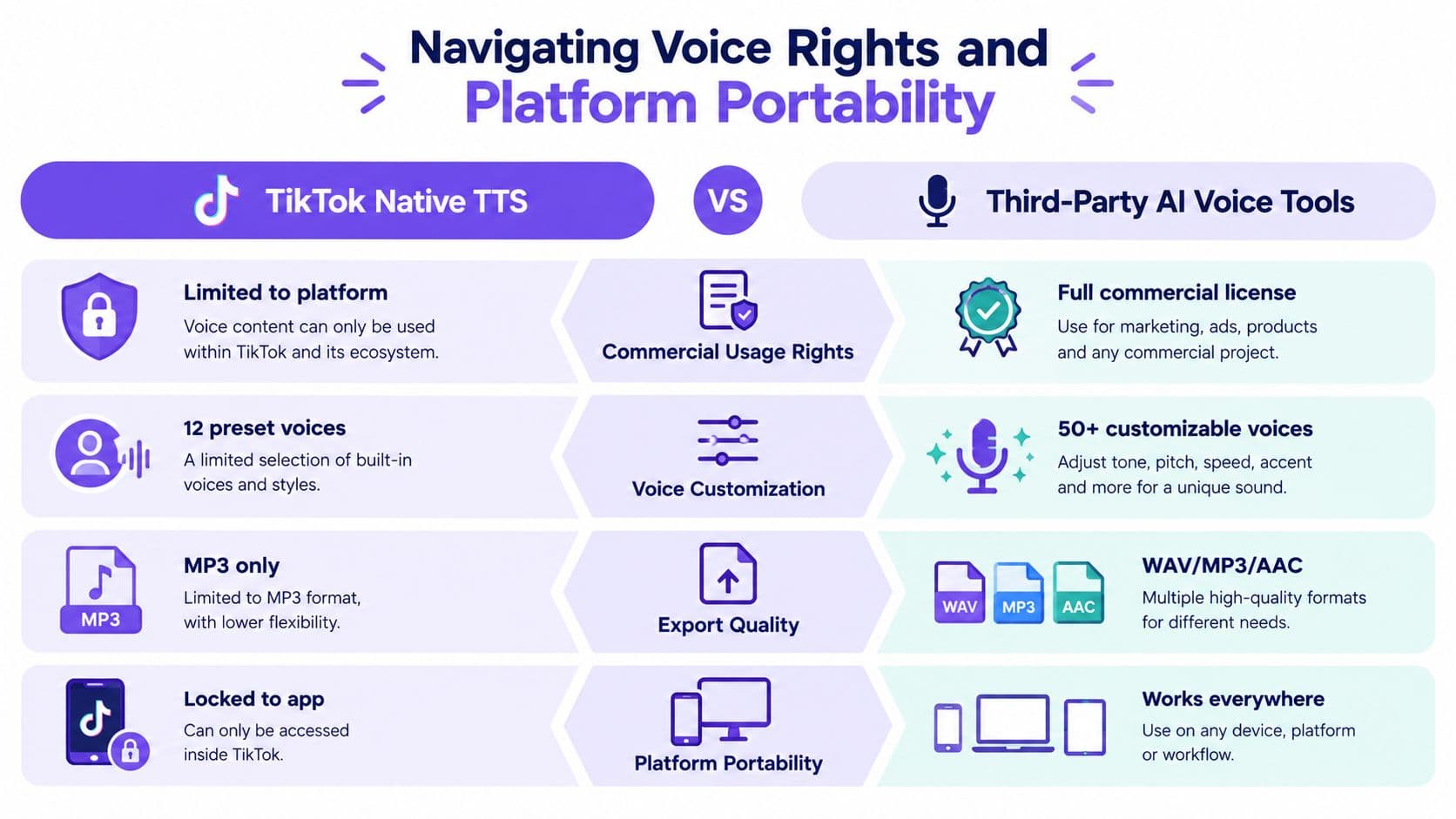
TikTok's EU and UK terms require creators to have permission for the intellectual property included in their videos and prohibit uses that violate third-party intellectual property, privacy, or personality rights. Adobe's overview of TikTok AI voice also highlights a practical limitation of native TikTok AI voice. It's proprietary to the platform and isn't designed as a portable voice asset for use across other channels.
That distinction changes the workflow for agencies and ecommerce teams. A video assembled inside TikTok may be perfectly usable on TikTok while being unsuitable for a broader ad library. A third-party generator may offer export and commercial licensing, but you still need to inspect the terms, confirm whether voice cloning is permitted, and verify that the license covers your intended territories and media placements.
Compare the workflow before you publish
| Question | Native TikTok TTS | Third-party voice platform |
|---|---|---|
| Where does the audio live? | Inside a TikTok production workflow | In an exportable project or audio library |
| Can you reuse it elsewhere? | May be restricted by platform functionality or terms | Depends on the provider's license and export rules |
| Who approved the voice? | Often a preset selected by the editor | A named voice, licensed actor, or authorized clone |
| What should the team retain? | The posted video and account records | Source audio, license, consent, transcript, and project files |
Don't assume an exported file automatically grants ownership. Check whether the provider assigns rights, grants a commercial license, or limits use to certain outputs. Also check whether your subscription level changes commercial permissions. A cheap test account shouldn't become the foundation of a paid campaign without a written record of what the plan allows.
Audit every cloned voice
Keep consent evidence with the voice asset. The permission should identify the speaker, describe synthetic generation and editing, and cover distribution on TikTok, Reels, Shorts, websites, and advertising platforms if those uses are planned. If you're working with a client, put responsibility for approvals into the statement of work.
Avoid celebrity imitation and voices that are clearly designed to evoke a recognizable public figure. Even if the generated result isn't an exact copy, the association can create personality-rights, endorsement, and reputational problems. For global campaigns, audit translations and local voice choices separately, since consent and advertising rules can vary by market.
A detailed guide to AI voiceovers can help with production evaluation, but rights review remains a legal and operational task. Before publishing, answer three questions: Can we use this voice commercially, can we export it, and can we prove permission?
Scaling Global Reach with Multilingual Audio
Translation preserves words. Localization preserves intent, rhythm, humor, and cultural context. A direct translation can make a short TikTok feel dubbed because sentence length changes, idioms become literal, and the strongest moment lands too early or too late.
Start with one approved master script, but don't force every market into the same sentence structure. Give the local version permission to reorder the hook, replace an idiom, and change the example when the original reference doesn't travel. Preserve the promise and evidence, not necessarily the wording.
Use a localization pass before voice generation
Create a brief for each target market with four fields:
- Audience context: Who is watching, and what local problem does the video address?
- Language register: Should the narration sound casual, expert, playful, or premium?
- Voice profile: Choose a regionally appropriate accent and age impression without copying a recognizable individual.
- Visual constraints: Note words that must appear on screen, product names that must remain unchanged, and claims that require local review.
Have a fluent reviewer check the localized script before generating audio. Machine translation can handle a first pass, but a local reviewer catches false friends, unnatural phrasing, and cultural references that a model may preserve incorrectly. Ask the reviewer to read the script aloud. If they stumble, the voice engine probably will too.
Match the local delivery
Generate the first take in the target language, then compare its duration with the existing visual cut. Don't speed up a long translation until it becomes hard to understand. Rewrite the sentence first, then adjust delivery in small increments. Short-form localization often works better when the script is tighter than the source rather than squeezed into the source timing.
Use captions in the same language as the narration, and proofread them independently. Captions are not a transcript dump. They should emphasize the key noun, action, or result that the viewer needs to retain while watching without sound.
Measure creative fit, not just language accuracy
Review each localized version for three practical signals: does the opening sound native, does the visual reveal arrive with the spoken reveal, and does the call to action use a familiar local expression? A technically correct voice can still feel generic if every market receives the same stock delivery.
The broader AI voice cloning market is expanding, with forecasts projecting substantial growth through 2030 and 2034, as reported in the AI voice cloning market forecast coverage. Those projections help explain why multilingual narration is becoming easier to produce, but access doesn't guarantee cultural accuracy. Local review remains the difference between translated content and content that feels made for the viewer.
Syncing Audio to Visuals for Maximum Retention
A natural voice can still lose viewers when the visual answer arrives late. Treat narration and footage as one performance. The waveform helps locate sentence movement, but the edit should follow the idea rather than chase every syllable. This matters even more with generic AI voices, whose flat emphasis can make a correct cut feel slow.
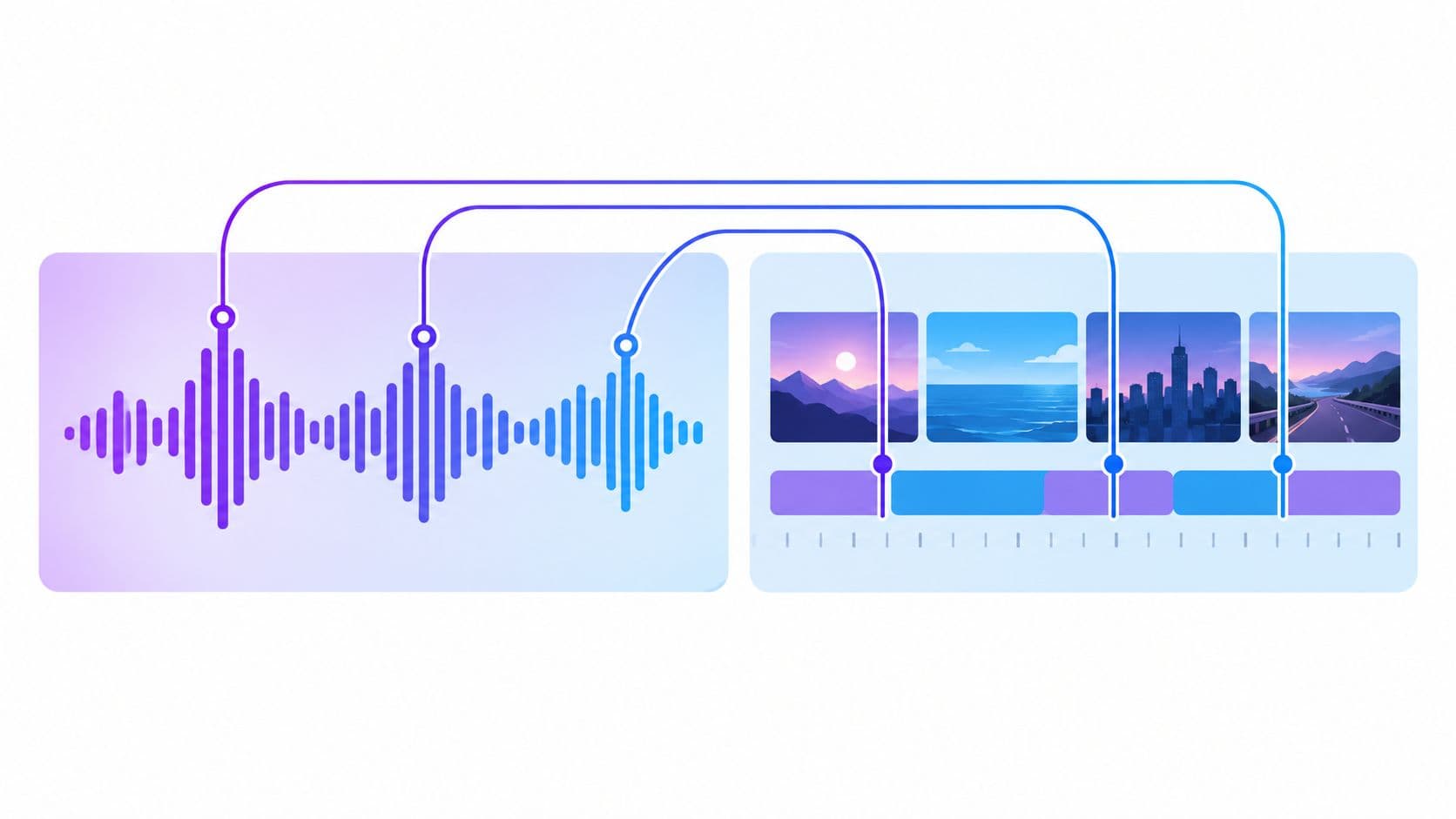
Build the first seconds around the promise
Open with the result, conflict, or specific question. Remove account introductions, format explanations, and announcements about what the viewer is about to see. The first visual should support the first spoken claim with a close-up, screen recording, product detail, or fast-moving B-roll.
Break the script into functional beats:
- Hook: The line that creates a reason to continue.
- Proof: The visual or fact that makes the hook credible.
- Development: The explanation, sequence, or demonstration.
- Payoff: The answer or transformation.
- Action: The next step for the viewer.
Captions provide a second timing system. Highlight the word carrying each beat's meaning, then animate or reposition it when the narration changes direction. This creates visual variation without cutting on every word.
The rising-action issue identified in the TikTok panel study makes early synchronization especially important. If the voice takes too long to reach the point, tighten the script and place the highest-information visual under the most important phrase. Random motion cannot rescue weak narration. Movement should clarify meaning.
Mask artifacts with purposeful editing
Synthetic voices often expose themselves through mismatched breaths, overly clean consonants, or pauses that feel mathematically placed. Short B-roll changes, punch-in crops, screen highlights, and restrained sound design can reduce those signals, provided the edit stays easy to follow.
Cut when information changes, not only on musical beats. Add subtle room tone or a restrained background bed where appropriate, keeping narration clearly in front. EQ and compression may improve a thin voice, but processing cannot fix a poor voice choice or a badly written script.
For discovery, trending TikTok sound tactics provide useful context on sound's role in short-form distribution. If you add trend-led music, preserve speech intelligibility. A recognizable sound should support the message without blocking reuse on other platforms.
The following editing walkthrough demonstrates timing across narration, captions, and clips. Focus on the relationship between each spoken beat and the visual change, rather than only the software controls.
Before export, watch once with the screen covered and once with the audio muted. The first test exposes awkward pacing and weak emphasis. The second shows whether visuals and captions can stop the scroll without depending entirely on the voice. Use these TikTok video editing tips as a post-production checklist, then adapt the cut to your niche and keep the master project portable across platforms.
Your Daily Publishing Checklist for Faceless Channels
A scalable faceless channel doesn't need every video to be elaborate. It needs every video to pass the same quality and clearance checks before publication. A junior editor should be able to open the task, follow the sequence, and know when to escalate an issue.
The daily production pass
1. Select the format. Start with a proven structure from your niche, then identify the audience tension that makes the format relevant today. Don't copy surface elements such as a caption style or sound. Copy the underlying pattern, such as demonstration, comparison, reveal, or objection handling.
2. Write the hook first. Put the viewer's problem, desired result, or unexpected detail in the opening line. Remove introductions and filler. Read the final script aloud before sending it to the voice generator.
3. Approve the voice. Use the channel's assigned voice profile, or document why a different voice fits the topic. Check pronunciation of names, product terms, numbers, and borrowed words. If the voice sounds like a familiar stock preset, change the delivery or select a less generic option.
4. Generate modular audio. Create separate files for the hook, explanation, payoff, and call to action. Save the transcript and source project alongside the audio, then record the voice ID and usage permission in the asset log.
5. Build the visual proof. Match each spoken claim with B-roll, a screen capture, product footage, or an on-screen demonstration. Replace decorative movement with evidence whenever possible.
6. Localize when needed. Adapt the script for the target market, have a fluent reviewer check it, and regenerate the narration instead of forcing a translation into the original timing.
7. Run the retention edit. Check the opening, remove dead air, align the reveal with the visual payoff, and make captions readable without sound. Listen for robotic pauses and unnatural emphasis.
8. Clear the asset. Confirm commercial permission, voice consent, music rights, product claims, and platform-specific requirements. A short compliance guide for TikTok automation can support the operational review, but your team should keep its own approval record.
9. Export clean masters. Keep a platform-neutral version without app-specific overlays or music dependencies. Create final variants for TikTok, Reels, Shorts, and ads from that master.
10. Log the result. Record the script version, voice, language, format, and editorial notes. Use the next review to improve the opening or pacing, not to randomly change every variable at once.
This routine turns AI voice over TikTok from a button in an editor into a controlled publishing system. The teams that scale sustainably aren't the ones generating the most audio. They're the ones preserving good assets, protecting permissions, and learning which voice and visual combinations fit their audience.
Hooked helps creators and brands turn trend research into TikTok-ready videos with script generation, natural-sounding voiceovers, multilingual production, editing, and cross-platform publishing workflows. Visit Hooked to build a repeatable voiceover process that keeps your narration portable, organized, and ready for daily production.