You've finished the script, the edit is waiting, and the deadline is close. The remaining decision seems simple: record the narration yourself, or let an AI voice handle it while you work on the visuals. The first generated clip sounds convincing enough, but then a brand name gets mangled, the accent shifts halfway through a sentence, and the punchline lands after the cut.
That's the challenge behind how to make an AI voice that sounds real. Producing intelligible speech is no longer the difficult part. Reliable production requires control over identity, pronunciation, pacing, emotion, language, latency, and consent. This guide focuses on the decisions that determine whether an AI voice survives repeated use in short-form videos, ads, explainers, and multilingual content.
Why Making an AI Voice Is Easier and Harder Than It Looks
Modern neural text-to-speech has moved far beyond the clipped, mechanical delivery many creators still associate with synthetic speech. The roots of electronic speech synthesis reach back to Bell Labs' 1939 VODER demonstration, which required a trained human operator to shape sound through controls. The system wasn't an automatic voice generator in the modern sense, but its broad idea remains recognizable today: transform text or intent into speech representations, then render those representations as an audio waveform. The history from mechanical and rule-based systems to statistical and neural models is outlined in this history of text-to-speech.
The major quality shift arrived with neural waveform generation. DeepMind's WaveNet, released in 2016, generated raw audio waveforms directly and helped move synthetic speech toward much more natural delivery. Today's tools can reproduce pauses, changing emphasis, and a more human rhythm, which makes them useful for creators who need narration without recording every line.
The first minute can still be misleading. A voice may sound excellent in a showcase sentence and fall apart when the script includes unusual names, abbreviations, emotional turns, or rapid edits. Production problems usually appear in predictable places:
- Accent drift: A multilingual model may change pronunciation or regional character when vocabulary changes.
- Prosody failure: Emotional lines can arrive with the same energy as neutral instructions.
- Pronunciation errors: Product names, technical language, and invented words often need explicit guidance.
- Timing friction: Generated files may not match the duration of a visual cut, forcing awkward edits.
- Inconsistent identity: A voice can sound close to the reference in one clip and generic in the next.
Practical rule: A convincing demo proves that a system can produce one good sentence. A production-ready voice proves that it can produce many related sentences consistently.
Your Three Main Options for Generating an AI Voice
There are three sensible ways to create an AI voice, and none is automatically right for every project. Your choice depends on whether you need speed, ownership of a specific vocal identity, multilingual consistency, or control over a fictional character.
A stock AI voice is the quickest starting point. You select an existing voice, enter a script, and adjust available controls such as speed, pitch, or style. This works well for testing ideas, faceless content, explainers, and projects where the narrator doesn't need to represent a real person. It also limits legal exposure because you aren't attempting to reproduce a private individual's identity, although you still need to follow the platform's licensing and usage terms. For a practical comparison of available services, you can compare TTS voice quality and price.
Voice cloning creates speech from a reference recording. It's a strong fit when you want your own tone or a character identity to remain consistent while avoiding repeated recording sessions. The quality depends heavily on the sample, the model, and the amount of control the tool provides. Above all, you need explicit permission from the voice owner before creating or using the clone.
Full custom model training is the most demanding route. A studio might choose it for a recurring fictional character, a branded narrator, or a system that needs unusually strong control across languages and speaking styles. It requires more voice data, technical expertise, testing, and maintenance than a creator usually needs for a first project.
| Option | Cost | Setup Time | Audio Quality | Best For |
|---|---|---|---|---|
| Stock TTS voice | Usually the simplest entry point | Fast | Consistent when the script is well prepared | Faceless channels, explainers, prototypes |
| Voice cloning | Depends on the service and usage plan | Moderate | Can preserve a specific vocal identity | Personal brands, recurring narrators, authorized characters |
| Fully custom model | Highest operational commitment | Longest | Maximum control when properly trained | Studios, branded systems, multilingual character work |
A platform such as Hooked's text-to-speech feature can fit the stock-voice workflow, while a creator who needs a personal identity should evaluate cloning separately. Don't choose a custom model because it sounds advanced. Choose it only when stock voices and ordinary cloning fail a requirement that matters to your output.
Setting Up Your First Voice Clone From Scratch
The reference recording determines more of the result than most first-time users expect. A cloning system can't reliably separate the desired vocal identity from room echo, music, changing microphone distance, or an unnatural reading. Record the voice in the same style you want the audience to hear, with a quiet room, a stable microphone position, natural pacing, and enough expression to show how the speaker handles emphasis.

Start with a short, clean passage rather than a dramatic performance full of exaggerated voices. Keep the speaker's distance from the microphone steady, avoid background noise, and don't mix several recording environments into one reference. If you're cloning your own voice, read material that resembles your actual content. A calm educational script won't teach the model much about an energetic hook.
Clean the file before uploading it. Trim long silence, remove obvious clicks, and reduce distracting breaths without stripping every natural pause. Export a clean WAV when the platform accepts it, or use a high-bitrate MP3 if that's the available option. Don't over-process the recording with heavy noise reduction or aggressive compression. Those artifacts can become part of the identity the system tries to reproduce.
Test the clone with difficult language
Upload the prepared file to a reputable cloning tool, select the model variant that matches your intended language and style, then write a test script designed to expose weaknesses. Include a brand name, a technical term, a question, a short sentence, and a line that needs emotional emphasis. A generic paragraph can hide problems that will appear immediately in real content.
Generate several clips rather than judging one sentence. Listen for a thin or metallic tone, incorrect stress, unnatural pauses, and changes in vocal identity between lines. If you're using a workflow such as Hooked's voice-cloning feature, treat the first render as an audition, not a final asset.
Make one change at a time. Try a cleaner reference, a less theatrical reading, altered stability or similarity settings, or a rewritten sentence with clearer punctuation. Then render the same test again. This loop tells you whether the problem comes from the recording, the script, or the model configuration.
A useful production habit is to keep a small test script permanently. Run it whenever the tool, model, language, or voice settings change. That gives you a consistent way to detect identity drift before it reaches a published video.
You can also see the recording and generation process in this walkthrough:
How Neural Voice Systems Actually Produce Speech
A natural AI voice usually depends on three connected stages. Understanding them helps you diagnose failures instead of treating the generator as a black box.
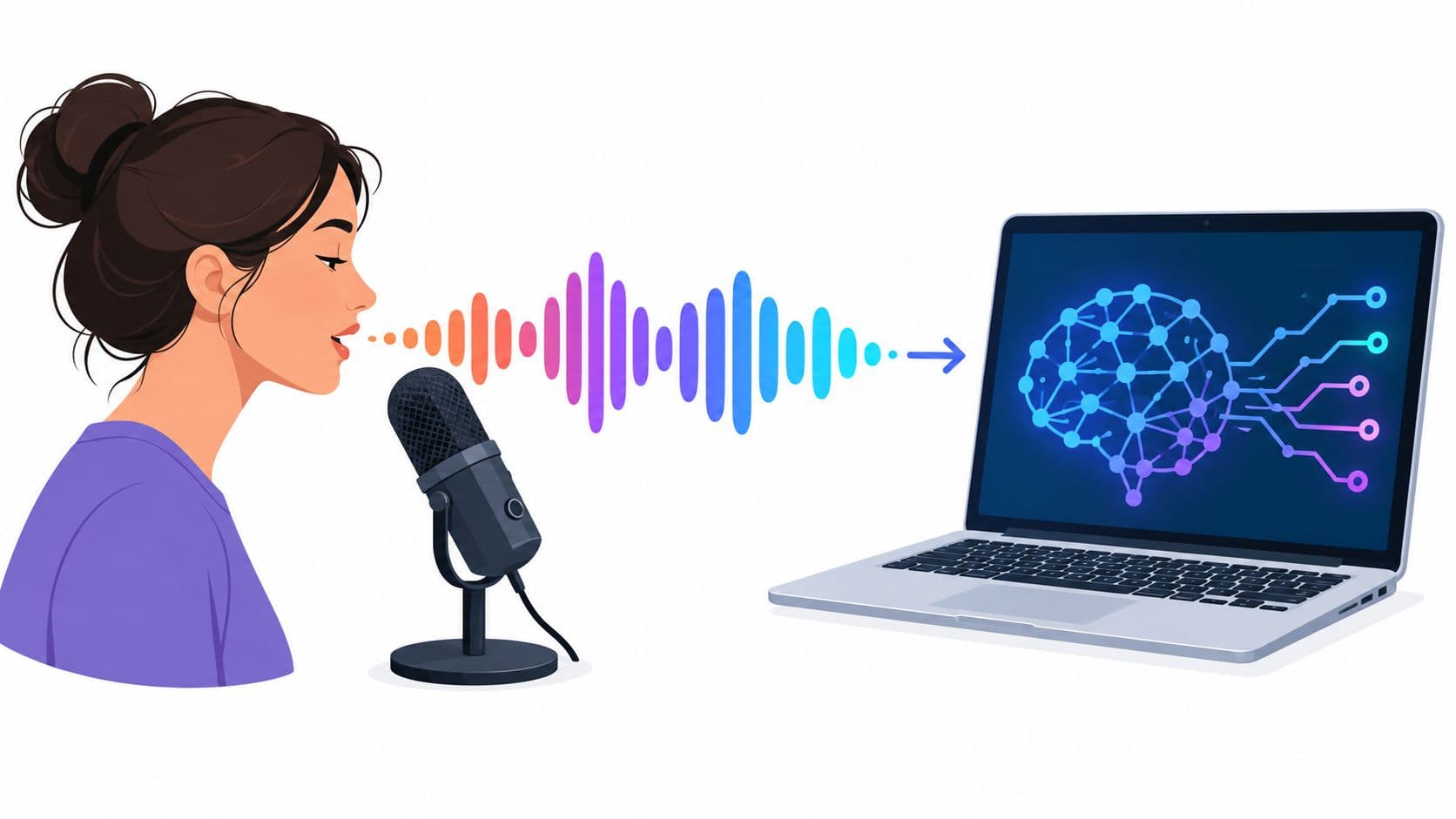
The speaker encoder processes reference audio and maps the speaker's vocal characteristics into a compact embedding. You can think of that embedding as a mathematical representation of identity, not a literal recording of the person's voice. A practical cloning architecture then sends the text and speaker representation into a synthesizer.
The text-to-speech synthesizer converts the script, conditioned by the speaker embedding, into an intermediate acoustic representation such as a mel-spectrogram. This representation maps frequency patterns over time. Text normalization happens around this stage, so numbers, dates, acronyms, punctuation, and unusual spellings can affect how the synthesizer plans the delivery.
The vocoder converts that intermediate representation into the final waveform you hear. A weak vocoder can introduce a metallic buzz or blurred consonants even when the speaker identity and wording are correct. Research implementations commonly use a speaker encoder trained with a verification objective such as GE2E, which helps similar voices cluster together in embedding space and reduces identity drift during cloning. This voice-cloning architecture research describes the three-stage pattern in technical detail.

Diagnose the stage that failed
- Identity sounds generic: Improve the reference recording or use a model with stronger speaker conditioning.
- Words sound wrong: Rewrite the input with phonetic spellings, punctuation, or supported pronunciation controls.
- Audio sounds metallic: Check the model and vocoder rather than endlessly changing the script.
- Emotion feels flat: Use a more expressive reference and shorter, better-punctuated lines.
For creators who are also training their own listening and pronunciation, AI can support voice-first speaking practice with AI. The same principle applies to generated narration: the input needs to reflect the speech you want, not merely text that looks correct on a page.
The Legal and Ethical Rules You Cannot Skip
Consent belongs at the beginning of the workflow, not after the audio is rendered. If you want to clone a collaborator, actor, family member, customer, or public figure, obtain clear written permission for the intended use. A casual agreement to “try the tool” doesn't necessarily cover advertising, monetized content, political material, or reuse in another language.
The safest process records what the person approved, where the audio may appear, how long the permission lasts, and whether the voice data can be stored or reused. Keep the original recordings protected, limit access, and delete files you no longer need. A voice sample is personal biometric-style material in practical terms, even when a particular jurisdiction classifies it differently.

Treat disclosure as part of publishing
Label synthetic or cloned narration when the platform, audience, or context calls for it. Don't let a realistic voice imply that a real person personally delivered a message when they didn't. Platform policies for TikTok, YouTube, and Meta continue to evolve, so check the current requirements before publishing rather than relying on an old tutorial.
Public-figure impersonation carries additional risk because recognizable identity, publicity rights, and defamation rules vary by location. A fictional spokesperson is safer when you own the character and don't design the voice to mislead viewers about a real person. A memorial project involving a deceased relative still deserves family consent and sensitive handling, even if the intended use feels private or respectful.
Invisible watermarking and provenance systems may also become part of regional or platform requirements. Don't assume a generated file is automatically acceptable because a tool allowed you to create it.
Audience trust matters: A clear label may change how a viewer interprets the clip. Hiding synthetic audio can damage trust far beyond the performance gains you hoped to get.
Making AI Voices Sound Natural in Short-Form Content
Short-form video exposes weak narration quickly. Fast cuts, captions, music, and visual hooks leave little room for a voice that pauses in the wrong place or sounds emotionally disconnected from the image. Treat the narration as an editable production asset, not a file you generate once and drop onto the timeline.
Write for breath and edit points
Scripts written for reading often fail when synthesized. Break long sentences into phrases that can survive a cut. Use punctuation deliberately, remove filler that adds no meaning, and place the important word near the point where the visual supports it. Speech synthesis markup, often called SSML, can provide controls for pauses, pronunciation, emphasis, and rate when the platform supports it.
A raw line might read:
“This tool creates videos quickly and it also helps you track trends so you can publish consistently across several platforms.”
A production version might become:
“Create the video quickly. Track the trend. Then publish consistently.”
The second version gives the narrator clearer landing points and gives the editor more places to cut. It may also reduce the amount of generated audio you need to force into a fixed timeline.
Test the whole script, not only the opening
Accent consistency often looks fine in a short sample and becomes unstable when the script switches vocabulary or language. Generate the complete narration before finalizing the edit. Check repeated names, translated phrases, regional terms, and transitions between sections.
Build a pronunciation dictionary for recurring terms. Store the preferred spelling, phonetic workaround, and the language or accent where it applies. This is especially useful for brand names, product models, usernames, medical language, and niche jargon. A single wrong pronunciation can make an otherwise polished clip sound careless.
Latency matters, too. If your workflow generates audio slowly, last-minute script changes can disrupt publishing. If it generates quickly but offers limited controls, you may spend longer fixing pacing and pronunciation. The right choice depends on whether your priority is rapid testing, high editorial control, or consistent output across a content library.
A talking avatar adds another synchronization constraint because the mouth movement must follow the generated audio. Tools such as Hooked's talking AI avatars are relevant when the voice is paired with an on-screen presenter, but you still need to inspect timing at the cut level.

Listen on phone speakers before publishing. A subtle consonant problem or compression artifact that disappears on studio headphones can become obvious on the device your audience uses.
Your First AI Voice Project From Start to Finish
Choose a narrow project for the first pass. A short narration with a clear beginning, middle, and end gives you enough material to test identity, pacing, pronunciation, and emotional range without creating a large library of failures.
Draft the script in spoken form. Add punctuation where you want the voice to pause, spell out terms that the engine misreads, and mark words that need emphasis. If you're working in multiple languages, prepare each version as its own script rather than translating line by line during the final edit.
Generate a rough take and listen before adding music or visuals. Check whether the voice keeps its identity across the entire script, whether the opening arrives at the intended moment, and whether any name or technical phrase sounds wrong. Fix the text first. Per-word edits, phonetic spellings, and shorter sentences often solve problems faster than changing the entire voice.
Then place the narration against the video and regenerate only the lines that miss the cut. Compare the result on headphones and phone speakers, because different playback systems reveal different issues. Export in the format your editing or publishing workflow accepts, and retain the clean voice track separately from the compressed social version.
A pre-publish check should include:
- Permission: Confirm that the voice owner approved this use.
- Disclosure: Apply the relevant synthetic-media label or credit.
- Pronunciation: Recheck names, brands, acronyms, and translated terms.
- Timing: Make sure pauses and emphasis support the visual edit.
- Consistency: Compare the voice with earlier clips in the same series.
- Playback: Listen on the device and platform where the audience will encounter it.
The field is moving toward multilingual transfer, real-time conversational delivery, and stronger emotion conditioning. Market summaries place the global text-to-speech market at about 7.92 billion by 2031 at a 12.66% CAGR in this 2026 text-to-speech market summary. Azure's neural TTS is reported to offer more than 600 voices across over 150 languages, while Amazon Polly's March 2026 release is reported to include 10 expressive generative voices across 8 locales, reinforcing the importance of language coverage and expressive control.
Quality still needs verification. Listener-based Mean Opinion Score remains a common quality measure, while speaker-similarity tests evaluate whether a clone resembles its target. One voice-cloning study reported speaker-similarity MOS of 2.21 ± 0.11 for zero-shot cloning, 2.98 ± 0.11 after adaptation, and 3.78 ± 0.11 for real same-speaker speech, as documented in the voice-cloning evaluation study. The practical lesson is simple: adaptation can improve resemblance, but a generated voice still needs human review before it represents a person or a brand.
Hooked combines AI voiceovers, voice cloning, multilingual video creation, trend research, and content scheduling in one workflow for creators and brands. Visit Hooked to turn your next tested script into a polished short-form video while keeping pronunciation, pacing, and publishing requirements in view.