You've got a promising idea, a blank document, and an AI tool that can produce a polished TikTok script before you've decided what the video should make someone feel. The result looks finished, but the opening is generic, the middle wanders, and the CTA arrives after the viewer has already scrolled.
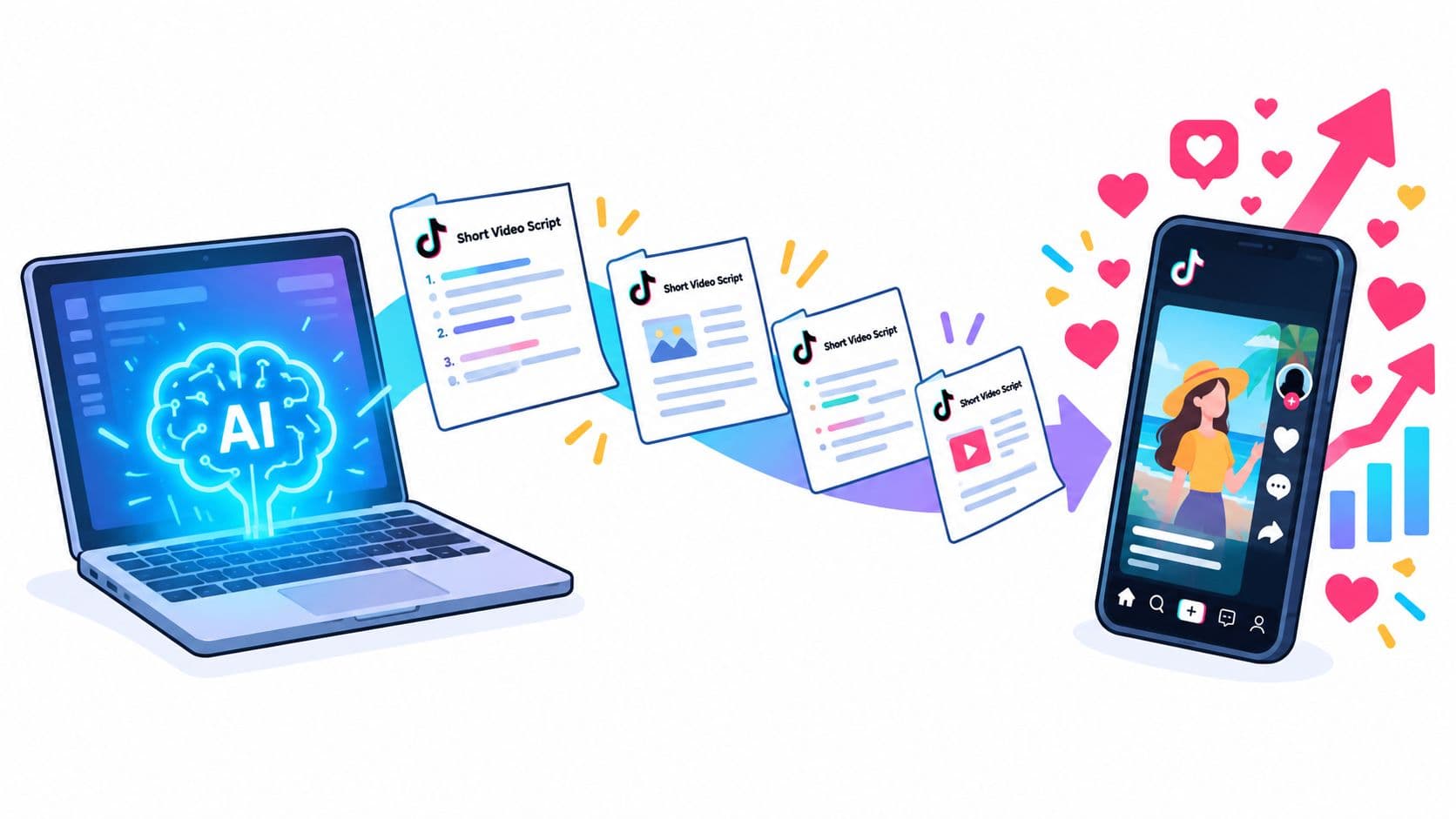
An AI TikTok script generator is useful when it sits inside a production system, not when it replaces one. The generator can create variations quickly, but you still need to define the promise, control the runtime, adapt the format, localize the language, and test what earns attention. TikTok's unusually strong engagement environment makes that discipline worthwhile. A 2026 benchmark reported an average engagement rate of 3.70% on TikTok, compared with 0.48% on Instagram and 0.15% on Facebook (Kapwing's 2026 short-form video statistics).
Inside the First 90 Seconds of an AI Script Session
The first 90 seconds should produce a usable brief, not a request for a “viral script.” Start by giving the video one job: “Show busy ecommerce founders how to turn customer questions into TikTok topics, then invite them to download our content brief.” That sentence names the audience, promised outcome, and conversion action. Without those decisions, an AI TikTok script generator fills the gap with broad advice, polished filler, and a generic CTA.
The 30-second concept brief
Before prompting, write three inputs:
- Audience: Who should recognize themselves immediately?
- Emotion target: Should the viewer feel curiosity, relief, urgency, amusement, or confidence?
- Proof asset: What can you show, demonstrate, quote from your own material, or put on screen?
A skincare brand could specify: “Target first-time retinol users. Create cautious confidence, not fear. Show the product label and a simple evening routine.” A software company could write: “Target agency owners who lose time rewriting client briefs. Create recognition and relief. Show a messy brief becoming a structured production prompt.”
These details make the generator a junior writer with speed. It can arrange beats, suggest phrasing, and produce alternatives. It cannot decide which customer objection affects conversion unless you provide that context. The useful workflow is iterative: establish the promise, generate a draft, then revise the opening and proof around viewer behavior.
Practical rule: Give the generator one audience, one promise, and one action. If the concept takes several sentences to explain, the video probably contains more than one idea.
TikTok scripts also need to serve the edit. Vertical framing and short runtimes are common production constraints. A 2026 benchmark summary reported that vertical 9:16 video represented 59% of AI-generated videos, while videos under 60 seconds represented 67% of AI-generated content (Kapwing's benchmark summary). Those figures do not guarantee retention. They indicate that the script should make its visual premise clear quickly and leave room for readable on-screen text.
If the writing workflow also includes visual generation, this guide to an AI video generator for TikTok provides a relevant starting point. Keep the brief compact, then ask for a first draft that can be tested against the intended runtime, footage, and conversion action.
Prompt Architecture for Hook, Body, and CTA
A reliable prompt has four blocks: ROLE, CONCEPT, CONSTRAINTS, and OUTPUT FORMAT. The structure matters because each block removes a different kind of ambiguity. Prompt engineering guidance from Mallary.ai prompt engineering is useful here because good prompts define the task and the boundaries instead of relying on a vague request for quality.
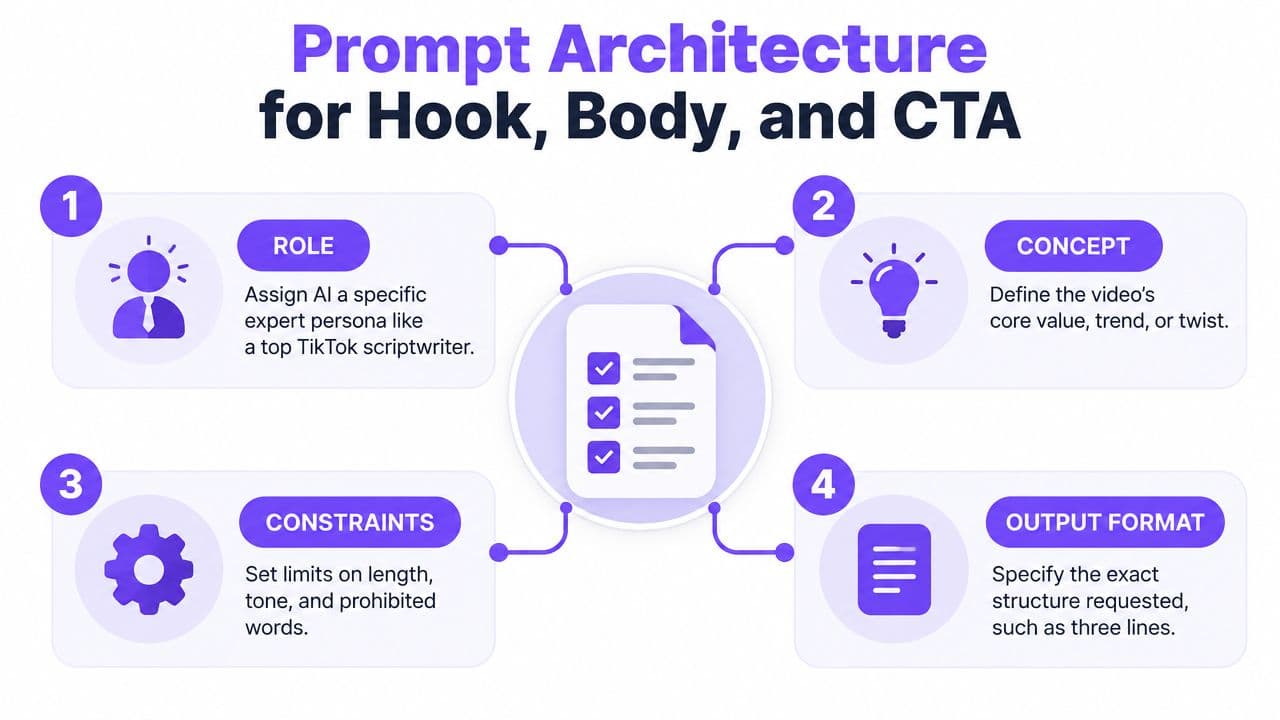
Use four lines that constrain different decisions
Copy and adapt this structure:
ROLE: Act as a direct-response TikTok scriptwriter for [audience and category].

CONCEPT: Help [audience] understand or do [one promise], using [proof asset or story].

CONSTRAINTS: Write for [runtime]. Put the hook in the first 1–3 seconds. Use conversational language, one idea only, a visible on-screen hook, and a curiosity gap that resolves before the CTA. Avoid introductions, jargon, unsupported claims, and multiple CTAs.

OUTPUT FORMAT: Return Hook, Body, CTA, on-screen text, visual changes, and approximate word count.
The ROLE block sets the point of view. “TikTok scriptwriter” is more useful than “creative expert” because it signals the platform, pace, and format. The CONCEPT block keeps the body from becoming a list of loosely related tips.
The CONSTRAINTS block does the retention work. Short-form guidance places the hook in the first 1–3 seconds, recommends one idea per script, and suggests a visual change every 2–3 seconds (Retensis' short-form scripting guidance). It also gives approximate spoken targets of 75–90 words for 30 seconds and 150–180 words for 60 seconds. Use those as production estimates, then time the actual read aloud.
Weak output versus controlled output
A weak prompt says:
“Write a viral TikTok about content marketing.”
The likely result opens with a broad statement, explains several tactics, and ends with “Follow for more.” It has a topic, but no audience tension or reason to keep watching.
A constrained prompt says:
“Write a 30-second TikTok for small agency owners who struggle to turn client calls into content. Hook with a specific mistake in the first 1–3 seconds. Explain one three-step extraction method. Show a client-question example at the midpoint. End by asking viewers to comment ‘brief' to receive a template. Return spoken script, on-screen text, and visual changes.”
The second version gives the model a problem, a single mechanism, a midpoint proof beat, and a measurable action. It doesn't guarantee performance, but it produces something an editor can readily test.
For more practical scripting mechanics, compare the generator's output with a guide on how to script a video. Then watch the supporting video below for a visual prompt workflow.
Matching Script Length to the TikTok Format Window
Runtime determines how much work each sentence must do. A 15-second video can deliver one sharp insight, result, or demonstration. It cannot support the same explanatory promise as a longer educational post. A 180-second video needs distinct chapters, proof, and progression. Without those beats, extra runtime turns into repetition.
Earlier analysis of brand-account videos found stronger engagement in shorter formats and higher median views in the longest formats. Treat that as a planning signal, not a script formula. Choose the window based on the viewer's information need, the proof available, and the action you want them to take.
| Format | Word Count | Visual Cuts | Hook Type | CTA |
|---|---|---|---|---|
| 15 seconds | Brief, one quick promise | Several fast changes | Shock, result, or direct question | Comment, save, or click |
| 30 seconds | About 75–90 spoken words | Change every 2–3 seconds | Problem plus curiosity gap | One direct action |
| 60 seconds | About 150–180 spoken words | Planned beat changes throughout | Contrarian insight or mistake | Follow, comment, or resource |
| 180 seconds | Expand around clear chapters | New visual or proof beat per idea | Strong claim with a reason to stay | Multi-step next action |
Rewrite by preserving the core promise
Start with one claim, then adapt its evidence and pacing to the window. A 15-second version might say:
“Your product demo is losing viewers before the feature appears. Show the result first, then explain the one step that creates it. Save this before your next shoot.”
The 60-second version keeps the same promise but earns more time through explanation:
“Most product demos start with the interface. That makes the viewer wait for the payoff. Start with the finished result, cut to the problem it solves, then show the feature in action. The viewer gets a reason to care before you explain how it works.”
For 180 seconds, prompt the generator for a sequence rather than a padded paragraph. Request an opening claim, three numbered sections, a demonstration, an objection, and a final action. “Make it longer” usually produces extra transitions. “Add one proof beat, one objection, and one example” produces usable material.
The runtime is a promise. A short script promises immediate value. A longer script promises a worthwhile explanation, so it needs new proof beats rather than slower delivery.
Include visual cadence in the prompt. Specify cut points, on-screen text, and the sentence that requires a product shot, screen recording, or reaction. Then review the generated draft against the actual edit. A script that fits the word count can still run long if the visuals require pauses, demonstrations, or readable text.
The same principle applies to branded TikTok meme ads. A recognizable structure may earn attention, but the product still needs a clear role before the final action.
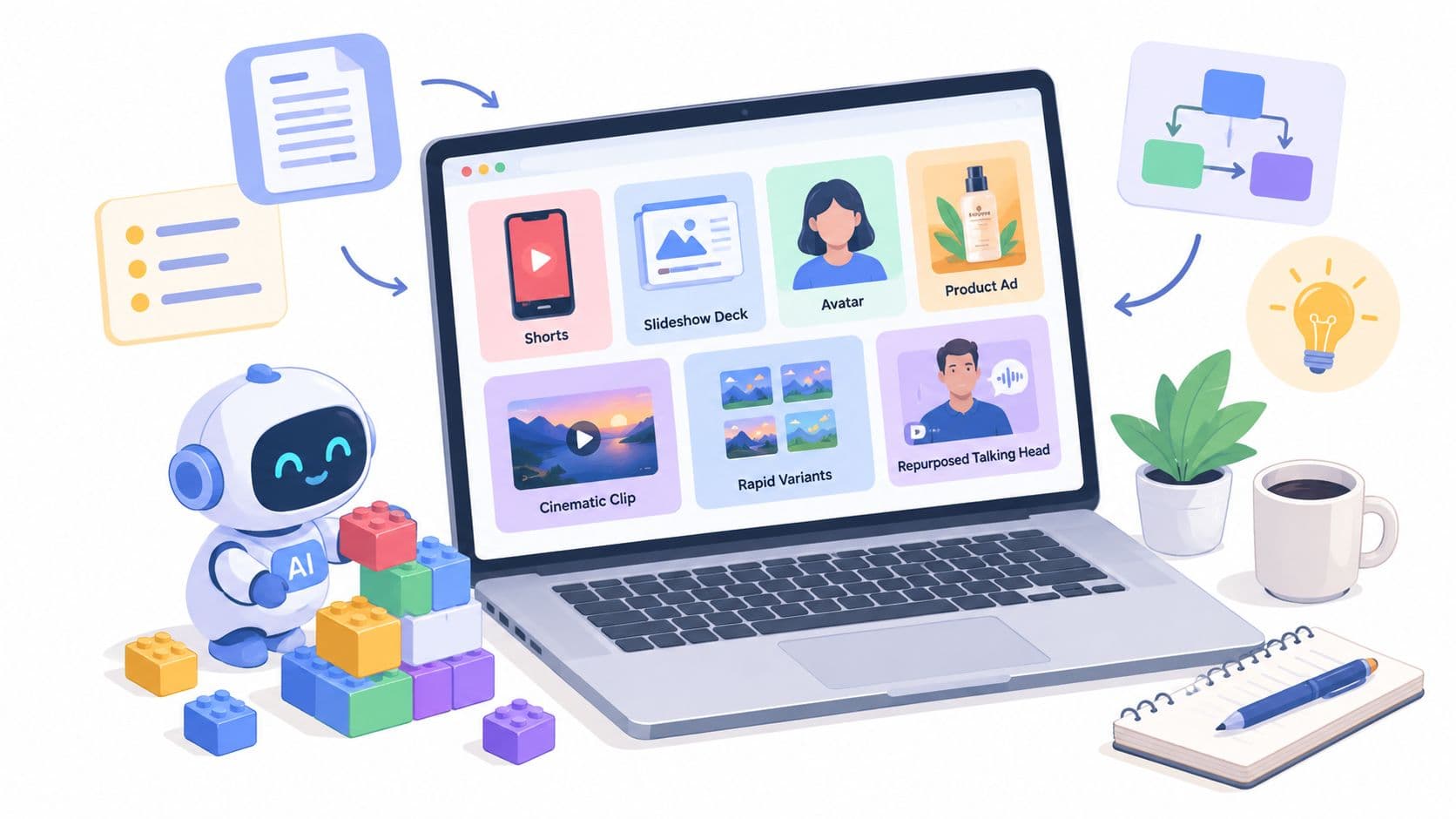
Adapting One Idea Across Faceless, UGC, Slideshow, and Educational Formats
A strong source idea shouldn't be trapped in one production style. Start with a premise such as: “Most small shops lose content ideas because they ignore customer questions.” Keep that premise stable, then rewrite the wrapper around it.
The four-way rewrite chain
Faceless version
Rewrite this concept as a faceless TikTok. Use narration, [B-ROLL] placeholders, and on-screen text. Include no on-camera speaking cues. Keep one sentence per visual beat and make the first line a direct problem statement.The generator should preserve the problem and method while replacing personal language with narration and visual instructions. The proof asset might be a screen recording of questions, a spreadsheet, or highlighted comments.
UGC version
Rewrite the same concept as a UGC ad. Open with a first-person problem: “I tried turning customer questions into posts for two weeks.” Add tension, introduce the product naturally at beat three, and close with one low-pressure conversion action.The UGC version needs a believable speaker and a product moment. Don't carry over every sentence from the faceless draft. Keep the underlying promise, but rewrite the voice, experience, and objection handling.
Slideshow version
Collapse the concept into a slideshow of numbered cards. Use 80–120 words total, one bold visual cue per card, no continuous narration, and a final card with one CTA.The cards must work independently because viewers may read at different speeds. Remove spoken transitions and convert the method into compact visual statements.
Educational version
Expand this idea into a 45–60-second educational script. Open with “Here’s why most people get this wrong,” explain three numbered steps, and create a curiosity bridge before the second half. Include examples and a single CTA.Educational content earns length through explanation, not filler. The generator can add distinctions, examples, and a counterintuitive reason behind the advice. Ideas for faceless video formats can help you choose the visual wrapper before generating the rewrite.
| Format | Hook Style | Word Count | Visual Cue Driver | Best Test Signal |
|---|---|---|---|---|
| Faceless | Direct problem or result | Short to medium | B-roll and captions | Completion and saves |
| UGC | Personal experience and tension | Medium | Speaker reaction and product beat | Comments and click intent |
| Slideshow | Bold statement per card | 80–120 words | Card design and progression | Swipes, saves, and shares |
| Educational | Contrarian explanation | 45–60-second range | Demonstration and numbered steps | Watch time and follows |
The Iteration Loop That Beats One-Shot Generation
“Generate once, post once” isn't a workflow. It's a draft handoff with no learning attached. The useful asset isn't the first script. It's the record of which hook, pacing choice, proof beat, and CTA you tested under a specific concept.
Start with one brief and generate five to seven variants per concept. Change the hook language while keeping the audience, promise, proof, runtime, and CTA constant. Then score each opening against three practical tests: does it create an unresolved question, interrupt the expected pattern, and identify a specific viewer problem?
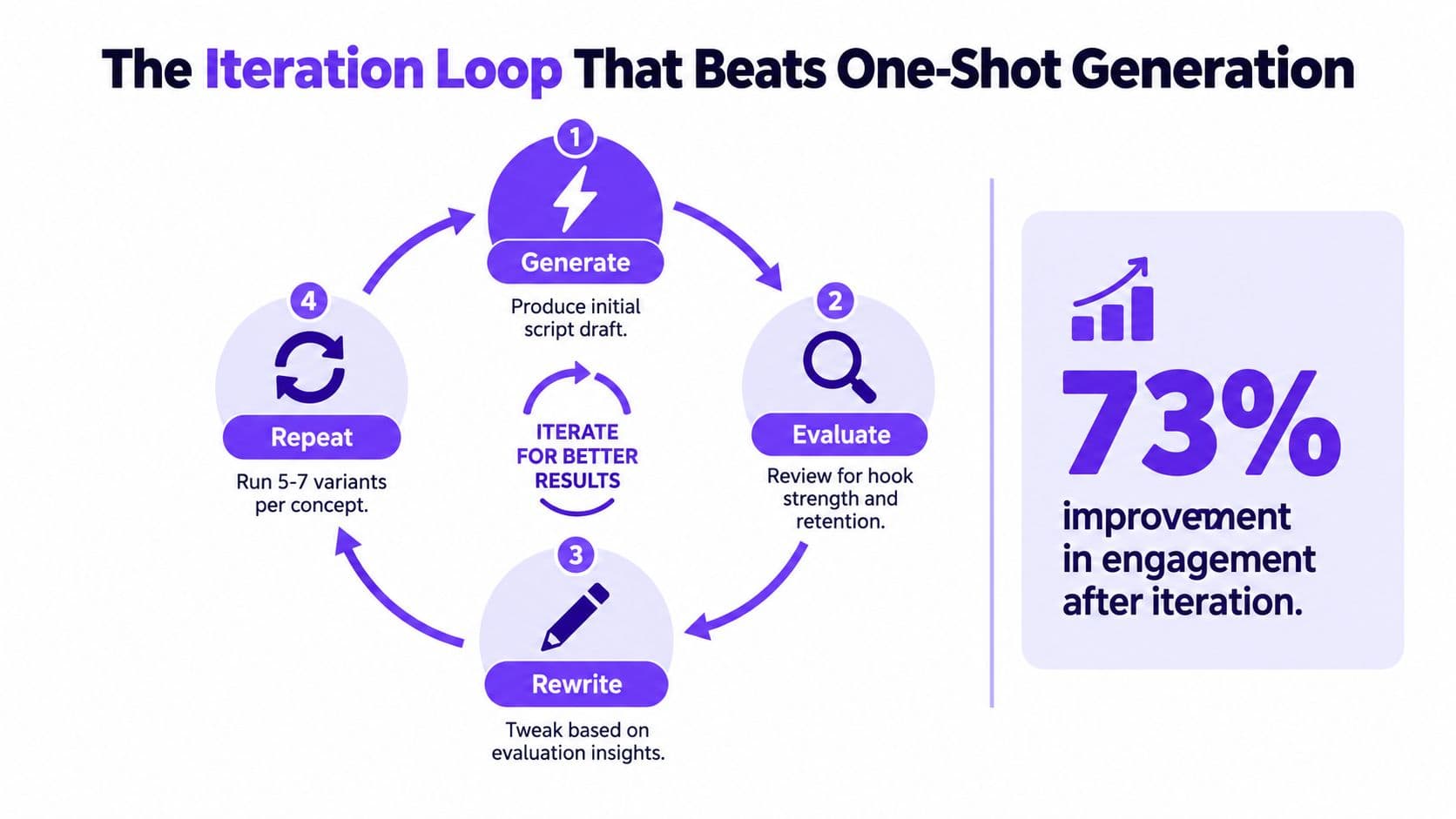
Rewrite one variable at a time
Choose the strongest two hooks and run a body rewrite:
Keep the selected hook unchanged. Rewrite the body so the viewer receives a concrete payoff by the 7-second mark. Use one example, remove background context, and place the proof asset immediately after the claim. Keep the CTA unchanged.If the opening holds attention but the middle loses momentum, don't generate an entirely new script. Move the proof beat earlier, shorten the explanation, or replace an abstract sentence with a demonstration. If the body works but the CTA underperforms, test CTA placement and action language separately.
Log each version in a simple sheet:
- Concept and audience
- Hook text
- Runtime and format
- Visual treatment
- CTA
- Retention and completion observations
- Next change to test
The point isn't to worship a dashboard. It's to stop relying on memory. A hook that sounds clever in a document may fail when spoken, captioned, and placed over fast visuals. A plain sentence may work because the viewer understands it instantly.
Iteration compounds through the library. Save winning prompt structures, not just winning scripts. Next week, the generator should start from tested constraints instead of a blank request.
Don't use the visual asset's engagement statistic as a performance promise. The verified data supports the iteration process, but it doesn't establish a universal lift from any fixed number of rewrites. Your own retention and completion behavior should decide which prompt earns a place in the library.
Localizing Scripts Without Losing Conversion Intent
Word-for-word translation is one of the fastest ways to flatten a TikTok hook. Idioms lose their force, humor becomes opaque, and a CTA can point viewers toward an offer that doesn't exist in their market.
TikTok's own script tooling has been described as supporting English-only ad script creation and not guaranteeing accuracy, with users responsible for compliance (Social Media Examiner's guide to TikTok's AI script generator). That makes localization a review process, not a button you press after writing the English version.
| Step | English-Only Workflow | Localized Workflow |
|---|---|---|
| Brief | Define audience and offer in English | Define local audience, context, and offer terms |
| Hook | Translate the original wording | Rebuild the curiosity gap for local speech |
| Product | Keep the original product name | Check regional naming and availability |
| CTA | Reuse the original incentive | Replace market-specific incentives and actions |
| Review | Read aloud in the source language | Use a native speaker from the target region |
Preserve the conversion slots
Separate the parts that must remain stable from the parts that should change. The offer, promise, and qualifier carry conversion intent. The story wrapper, idiom, humor, examples, and rhythm can be regenerated for the market.
Use a prompt like this:
Localize this TikTok script for [market and language]. Preserve the conversion intent: offer = [offer], promise = [promise], qualifier = [qualifier]. Rewrite idioms, humor, examples, and CTA phrasing for natural local speech. Check product terminology and avoid claims that aren't supported. Return the localized script plus notes on any cultural or compliance risks.Then read it aloud with a native speaker from the target region. A fluent second-language reader may catch grammar but miss whether the hook sounds like something a real creator would say. Paid social adds another layer, because a persuasive claim still needs substantiation and platform review.
Your Weekly AI Script Operating Rhythm
A weekly rhythm turns the generator into a production system. The schedule below works because each day has one job, and each job produces an input for the next one.
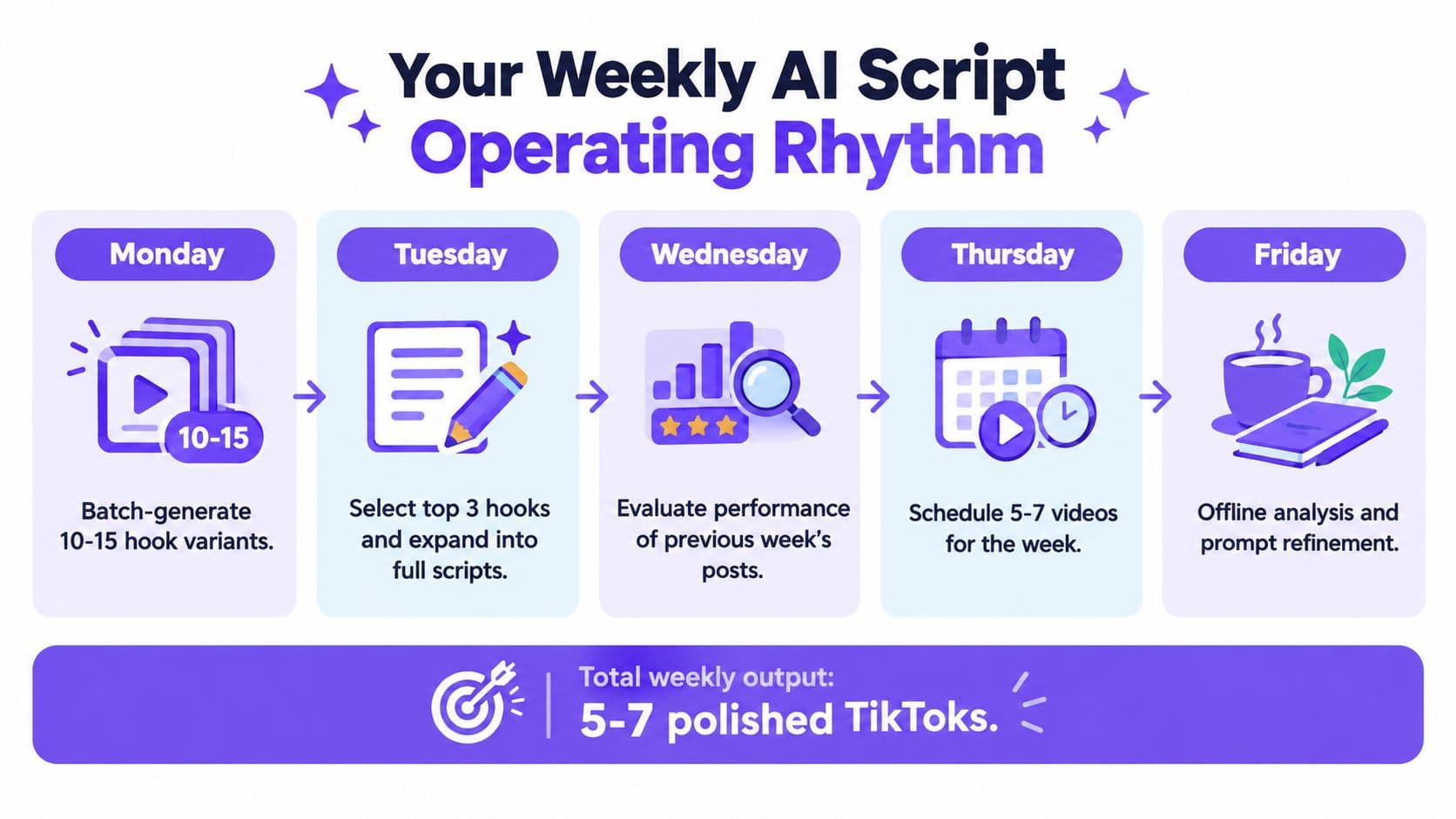
Monday, generate hooks. Create 10–15 hook variants across the format windows that fit your concept. Keep the body and CTA stable while testing curiosity, specificity, and pattern interruption.
Tuesday, expand and adapt. Select the strongest hooks, then turn each into faceless, UGC, slideshow, and educational versions where the idea supports them. Flag any script that needs localization or compliance review.
Wednesday, ship controlled tests. Publish multiple versions of the same concept while changing one meaningful variable at a time. Record the exact hook, runtime, format, and CTA in your ledger.
Thursday, collect signals. Review retention, watch time, follows, shares, saves, comments, and completion behavior from previous posts. Don't label a script a winner because it generated one interesting comment. Look for a pattern that matches the objective.
Friday, refine prompts. Mark each version as a hit, miss, or unresolved test. Move strong structures into a proven prompt library, then rewrite weak constraints instead of merely asking for “more viral” output.
Friday checklist
- Prompts updated: The library includes the week's useful constraints.
- Hooks scored: Each opening has a reason for its score.
- Formats covered: The same idea has been adapted only where the format fits.
- Localization flagged: Regional language, offers, and claims have been reviewed.
- Iteration logged: The next test changes one variable.
Use a platform that can connect script generation to production when your team needs fewer handoffs. Hooked combines an AI script writer with TikTok-style video creation, captions, AI voices, templates, and scheduling across social platforms, so it can fit a script-to-publish workflow rather than a writing-only workflow.
Start Monday by choosing one audience problem and one proof asset. Generate the hooks, keep the best constraints, and let the next week's prompts reflect what viewers watched.
Hooked can turn your tested ideas into TikTok videos with AI-generated scripts, voices, captions, templates, and formats for faceless channels, UGC ads, slideshows, and educational content. Visit Hooked to build a repeatable script-to-video workflow and put your next batch of iterations into production.