Why do some short videos hold attention past the opening seconds while others lose viewers almost immediately, even when both use polished footage and current trends? The missing variable is often the script structure. Visual quality can earn the first glance, but the order of the hook, problem, proof, explanation, and call to action gives viewers a reason to stay.
The best video script examples aren't scripts to copy word for word. They're working blueprints. They show what the viewer should hear, what should appear on screen, where the payoff belongs, and how the ending supports a measurable next step. That matters in a medium businesses now treat as an operational channel. Wyzowl's video marketing data reports that business use of video rose from 61% in 2016 to 89% in 2025, while 95% of companies in the 2025 survey said video was important to their marketing strategy.
The ten formats below cover attention-led openings, sales narratives, tutorials, comparisons, trends, authority content, slideshows, and conversion scripts. Each includes a labeled blueprint, a niche-specific variant, the trade-off to watch, and a practical way to adapt it. For broader planning around short-form ads, the Wojo Media performance playbook is a useful complementary resource.
1. Hook-First Script Format
A hook-first script makes the opening do real work. The first line should create a clear information gap, challenge a familiar assumption, or show a visual change that makes scrolling feel premature. Don't use a dramatic opening unless the next line pays it off quickly.
Blueprint
- Hook: “You're doing TikTok wrong if your best idea appears after the introduction.”
- Setup: Show the common approach, then identify the specific reason it loses momentum.
- Payoff: Demonstrate the revised approach with one concrete example.
- CTA: “Save this before you write your next opening.”
For a B2B audience, the copy-and-paste variant could be: “Your landing page may be losing qualified leads before anyone sees your case study. Here's the opening change I'd test first.” Follow with a screen recording of the page, one annotated revision, and a final invitation to compare the result.
This structure works because it gives the viewer a reason to resolve the question. The hook isn't the whole script. It creates a promise, and the setup must make that promise specific enough to feel credible. A generic “This changed everything” opening usually fails when the video doesn't explain what changed or why the viewer should care.
Practical rule: Write three different openings for the same body. Test question, contrarian statement, and visual demonstration variants rather than rewriting the entire video each time.
Track the opening separately from the rest of the script. If people leave immediately, revise the promise or first visual. If they stay through the explanation but leave before the ending, the problem is probably pacing or payoff placement. This guide to scripting a video can help turn the format into a reusable production template.
2. Problem-Agitate-Solve Sales Script
Problem-Agitate-Solve, or PAS, fits ads aimed at viewers who already recognize a problem but have not acted on it. The script names a specific problem, shows its practical or emotional cost, then presents a solution that addresses the same issue. UGC ads often suit this format because a real person can demonstrate the frustration without making it sound scripted.
Build the argument around one clear chain:
- Hook: “I stopped hiding my skin under heavy makeup after changing one step in my routine.”
- Setup: Put the problem in a situation the target customer knows.
- Agitation: Show the inconvenience, frustration, or consequence without overstating it.
- Solution: Demonstrate the product and explain the benefit connected to the problem.
- CTA: “See the routine in the product link.”
A skincare version could begin with makeup separating during the day. The creator says, “I kept buying new foundation, but the issue was the routine underneath it.” She shows the preparation step, applies the product, and explains what changed. The CTA should choose one next action, such as viewing the routine or product page. Asking viewers to buy, comment, share, and follow at the same time weakens the close.
The format depends on proof. If the product appears without a visible connection to the problem, the script feels like an interruption rather than a solution. A productivity tool, for example, could show a scattered task list, explain the missed handoff it caused, then demonstrate one workflow inside the tool.
Change the problem and evidence for each audience segment while keeping the product consistent. A freelancer may respond to missed deadlines; an ecommerce team may care more about approval delays. Track conversions separately from attention. A dramatic pain point can attract views while producing little purchase intent.
3. Story-Driven Narrative Script
What changes when a brand story shows the decision behind the product instead of listing company facts? A story-driven script gives viewers a person, a problem, and a visible change. Start near the turning point, then supply only the background needed to understand why the outcome matters.
Blueprint
Build the sequence around five beats:
- Hook: “We built the first version because our team couldn't find a simple way to solve this.”
- Setup: Show the person or situation in one clear image.
- Conflict: Present the obstacle, failed attempt, or cost of keeping the old approach.
- Transformation: Show the decision or discovery that changed the situation.
- CTA: “Follow for the next part of the build.”
For a founder-led ecommerce brand, use this copy-and-paste variant:
“Our first batch arrived with the wrong packaging. We opened every box, checked the replacements, and rebuilt the process instead of hiding the mistake.”
Cut between the damaged shipment, the founder inspecting replacements, and the finished product. Close with the brand message, then choose one action: follow the series or view the product. The edit should make the change easy to track, from the original problem to the decision that resolved it.
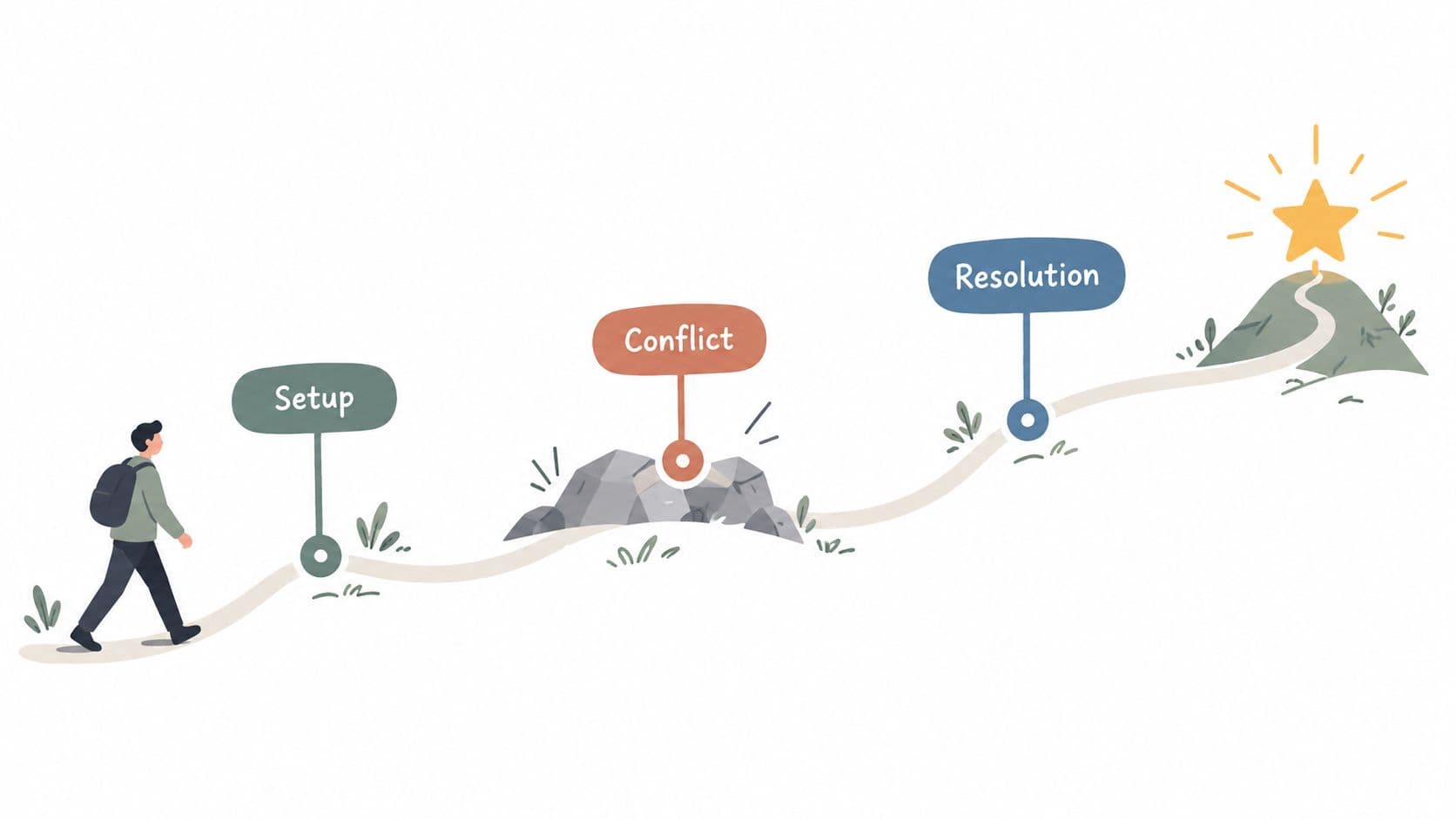
The structure works because viewers can follow change more easily than a sequence of brand facts. A customer transformation may provide stronger evidence than a founder origin story when the audience needs to see how the product fits its own situation.
Keep the conflict concrete. “We struggled to grow” gives the editor little to show. “Customers couldn't understand which size to choose” creates a visible problem, a reason for the product, and a clear before-and-after sequence.
Every story needs an ending, even when it continues as a series. Show the decision, result, or next unresolved question. Match the CTA to that point in the narrative. Following for the next episode fits an unfinished build better than forcing a product pitch into the emotional peak.
4. Educational Tutorial How-To Script
A useful tutorial has one job: move the viewer from a defined problem to a visible result. Choose one narrow outcome, then build the script around the actions that produce it. This format works for expert creators, faceless channels, product educators, and teams developing repeatable series.
Start with the finished result, then work backward:
- Hook: “Here are three ways to make your product demo easier to understand.”
- Setup: Identify the audience and the outcome they want.
- Steps: Show the highest-impact action first, followed by the remaining actions in a logical order.
- Proof: Compare the corrected version with the common mistake.
- CTA: “Save this and use the steps in your next demo.”
For a marketing example, use this copy-and-paste script:
“Three changes can make a short ad easier to follow. First, show the problem before the feature. Second, put the result on screen while you say it. Third, end with one action, not three. Use this structure the next time you turn a product feature into a video.”
Test the edit with the sound off. Each step number and key phrase should appear on screen, while the footage shows the action rather than illustrating an abstract principle. A technical Raspberry Pi tutorial reported 31.7K views, 2,500 watch hours, and 827 subscribers after changing an unstructured explanation into a clearly scripted flow, as described in these explainer video script examples. The practical takeaway is narrower: a clear sequence can help educational content maintain information and momentum.
Limit each tutorial to the promise made in its opening. Related advice can become a numbered series, provided every installment delivers a useful result on its own.
5. List-Based Format Script
A list video succeeds when every item earns its place. Use the format for advice, mistakes, features, or checks that viewers can recognize quickly. The production advantage is clear: each point supplies a separate visual beat. The editorial risk is weaker items, which make the ending feel predictable.
Build the script around one audience problem and one useful outcome. Start by choosing the order, then decide how many points viewers can absorb.
Blueprint
- Hook: “Five reasons your short ads aren't converting.”
- Setup: Define the problem and promise a diagnosis.
- Items: Give each point one claim, one example, and one visible change.
- Pattern interrupt: Place a surprising or especially useful point before the final item.
- CTA: “Comment with the point you'll fix first.”
A creator-focused version is ready to adapt:
“Seven mistakes can make a tutorial feel slow. You bury the result, explain before showing, hold the same shot too long, add context nobody needs, delay the strongest tip, treat captions as an afterthought, and finish without a next step. Fix one mistake in your next tutorial, then compare the edit with the original.”
Show a quick example beside each point. A headline alone gives viewers a label, not a reason to act. For a tutorial, put the most actionable item first. If completion matters more than immediate instruction, save the strongest surprise for near the end.
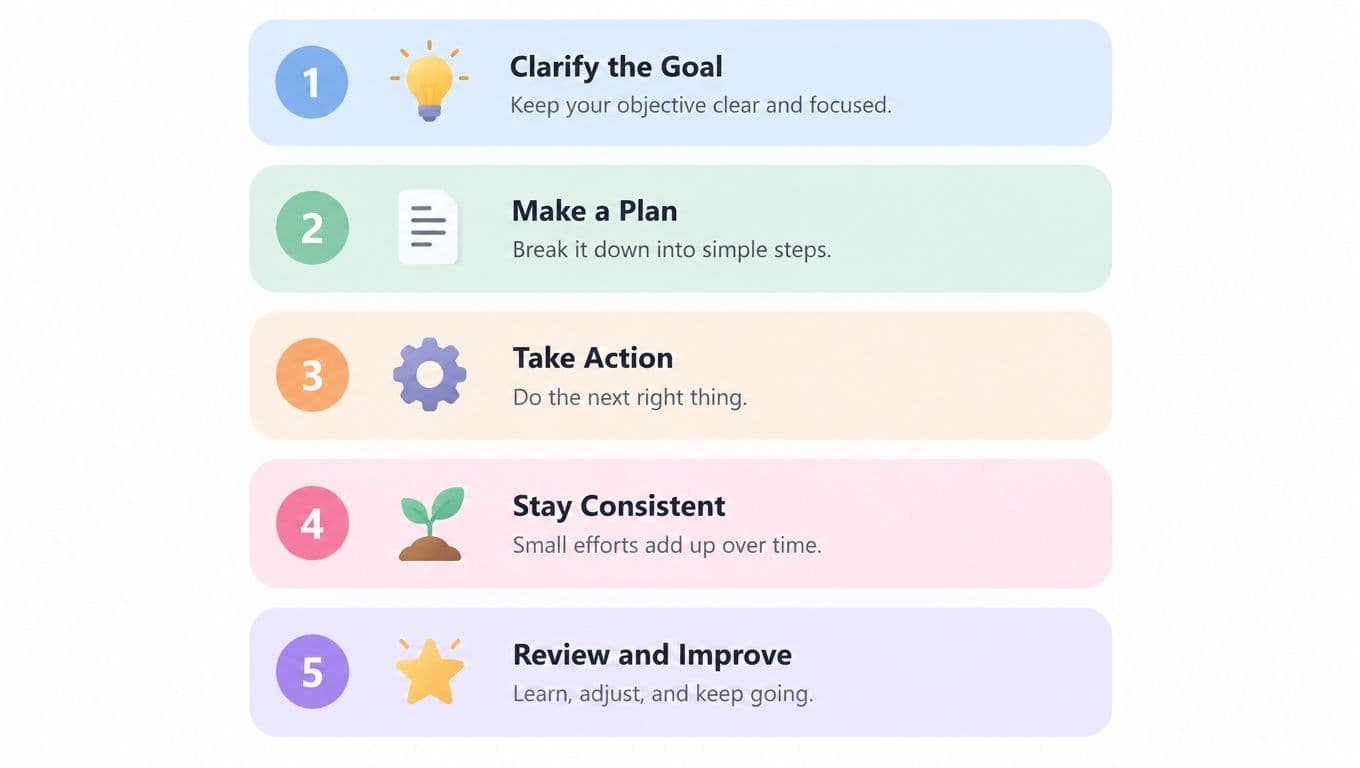
Use this editing test: remove any item that does not change the viewer's decision. Combine points that rely on the same example, then give that time to proof or demonstration.
List formats can be generated quickly, including with an AI script writer, but selection still needs editorial judgment. Check that every item is specific, visually demonstrable, and relevant to the same audience. Copywriting, lighting, and analytics may each deserve separate videos. Putting them together can make one list feel unfocused.
6. Comparison Versus Format Script
Comparison scripts help viewers make a choice. They work for product reviews, software decisions, creative methods, and strategy debates, but the structure loses credibility when the creator hides sponsorships or rigs the comparison around a preferred answer.
Blueprint
- Hook: “TikTok Shop or Shopify, which fits a small dropshipping operation better?”
- Setup: Define the decision and the type of viewer being addressed.
- Comparison: Evaluate both options against the same criteria.
- Verdict: Give a conditional recommendation, not a universal winner.
- CTA: “Save this comparison before you choose your setup.”
A niche-specific version could compare two AI video workflows. “If you need speed and don't want to appear on camera, start with a faceless workflow. If trust and product demonstration matter more, use a creator-led UGC workflow. Here's what changes in scripting, visuals, and approval time.” Show the same brief adapted to both formats, then explain which audience and goal suit each one.
Make the decision visible
Use split-screen graphics, matching labels, and identical evaluation criteria. If one side receives a feature list and the other receives a personal anecdote, viewers can't judge the options fairly. Specific pricing and feature comparisons can help when they're current and relevant, but verify them before publishing because product details change.
A balanced script often outperforms a forced verdict in trust-sensitive categories. An opinionated script can earn stronger reactions, but it may attract viewers who want an argument rather than customers who need a decision. State the trade-off plainly: one option might be easier to start, while another may offer more control after setup.
Disclose sponsorships in the spoken script and on screen. A comparison isn't a license to make unsupported competitor claims. The useful outcome is a decision rule viewers can apply to their own constraints.
7. Trending Sound and Meme Adaptation
Trend adaptations work when the brand message fits the emotional logic of the sound or meme. They fail when a company copies the surface format while ignoring why people use it. Speed matters, but relevance matters more.
Blueprint
- Hook: Use the recognizable audio cue or visual setup immediately.
- Setup: Place the audience's niche-specific situation inside the meme.
- Twist: Deliver the brand's point through an unexpected but accurate contrast.
- Payoff: Show the product, process, or reaction that completes the joke.
- CTA: “Follow for more [niche] versions of this trend.”
For an agency, a copy-and-paste variant might use a dramatic “oh no” audio over a client approval screen. On-screen text reads, “When the team approves the ad before checking the first three seconds.” The creator then cuts to a revised opening and says, “Fix the hook before you buy more distribution.”
A trend should give you a format, not replace the script. Write the spoken line, on-screen text, visual action, and brand connection before recording. If the connection requires a long explanation, the trend probably isn't a good fit.
Use niche-specific monitoring through TikTok trend discovery, then prepare several angles while the sound is still relevant. Don't publish a trend adaptation that makes a claim your legal or product team can't support. Archive successful structures by audience, message, and visual device, not just by audio name, because the sound may disappear while the underlying joke remains useful.
8. Personal Brand Authority-Building Script
A personal authority script earns attention by showing how you make decisions under real constraints. The strongest version usually starts with a mistake, then gives viewers a rule they can apply to their own work.
Write the script around one judgment:
“I used to write the introduction first. That was the wrong place to start.”
Hook: State the mistake or belief you changed.
Setup: Give the situation in one or two lines.
Lesson: Explain what failed and why.
Method: Show the rule, workflow, or review step you use now.
CTA: “Follow for practical lessons from building this process.”
For a marketing consultant, use this copy-and-paste variant:
I spent too long adding features to client scripts when the actual issue was message order. Now I write the result first, then the proof, then the explanation.
Show the marked-up draft, with the old sequence beside the revised one. End with, “Which section makes your audience drop off?” The visual evidence makes the opinion easier to assess and gives viewers a practical starting point.
Authority depends on a specific point of view. “Be consistent” gives the viewer no decision rule. “I review the first sentence before the transitions because a weak promise makes every later edit less useful” gives them a position they can test.
Keep the personal story tied to a problem your audience recognizes. A private lesson becomes useful when you show how another person can apply it. Include the workflow, draft, dashboard view, or decision rule behind the lesson. Vulnerability can create context, but it cannot replace evidence.
Use recurring content pillars to make the perspective recognizable, while choosing the format that fits the subject. A direct answer, story, or comparison can all express the same personality. Consistency should come from the creator's standards and judgment, not from forcing every experience into one series.
9. Multi-Format Carousel and Slide Script
How do you turn several related points into a sequence viewers can read, hear, and remember? Build the script around the order of the frames, not a paragraph pasted across them. Each slide should carry one idea, use readable text, and give the viewer a reason to continue.
Hook: “Eight signs your product page is making buyers hesitate.”
Setup: Show one sign per slide, supported by a screenshot, icon, or simple visual.
Payoff: Group the signs into a pattern and give viewers one action to take.
CTA: “Save this audit and check your page tonight.”
For a D2C brand, use the angle “What each product benefit sounds like to a first-time buyer.” Pair each feature, such as a material or ingredient, with its customer-facing outcome. The copy-and-paste structure is:
“Feature: [what the product includes]. Buyer meaning: [why that matters]. Proof: [where the viewer can verify it].”
The voiceover should explain the implication or add context. Reading every word on screen makes the sequence slower without improving comprehension.
Plan the visual hierarchy before writing full narration. Give every frame one dominant message, maintain clear contrast between text and background, and use transitions that support the idea. Check captions against voiceover whenever a qualification changes the meaning of a claim. A missing “may,” “for,” or “when” can make the on-screen statement broader than the evidence supports.
Use This guide to creating a TikTok slideshow to turn a written outline into a frame sequence. For layout ideas, review carousel examples that drive engagement, then adapt the sequencing principles to vertical video instead of copying a static design.
More frames do not automatically add value. If the subject needs detail, split it into a series with a clear promise for each part. A shorter sequence with strong examples is easier to read and revise after reviewing retention.
10. Call-to-Action Conversion-Focused Script
What should the viewer do next, and what must they believe before taking that action? Build the script from those answers. A conversion-focused video connects a clear benefit to credible proof, then gives the viewer one specific next step.
CTA Blueprint
Hook: “Turn one product brief into a short video ready for testing.”
Setup: Identify the time, clarity, or production problem blocking the audience.
Proof: Show the workflow, finished output, testimonial, or product experience that supports the promise.
Offer: State what the viewer receives and who should use it.
CTA: “Open the link to create your first script.”
For lead generation, adapt the structure to the asset being offered:
“Your campaign brief does not need another meeting. Download this short-form script worksheet, use it to write the hook, proof, and CTA, then send the finished draft to your editor.”
Show the worksheet and one completed example while the voiceover explains the result. Keep the closing instruction precise. If the destination is a download page, say so on screen. If the action is an email signup or comment, use language that matches that action.
The offer sets the proof requirement. The proof shapes the middle of the video, and the audience's hesitation determines which details need explanation. A product-page click needs different closing language from an email signup or a comment request. Write the CTA before production, then check that every scene supports it.
CTA placement depends on the format. A product demonstration can introduce a soft prompt early and repeat a stronger request at the end. An educational video may need to deliver the answer first, then ask viewers to download a guide or respond. Use urgency only when the deadline or limited availability is real.
Test one script hypothesis at a time. An explainer-video A/B test reported a 3% engagement increase and a conversion-rate increase of more than 10% for an improved version compared with the original, as documented in this explainer video A/B testing case study. Change the hook or the offer first, not both, so the result gives you a usable production decision.
Comparison of 10 Video Script Formats
| Format | 🔄 Implementation Complexity | ⚡ Resources & Speed | 📊 Expected Outcomes (⭐) | Ideal Use Cases | 💡 Quick Tip |
|---|---|---|---|---|---|
| Hook-First Script Format (3-Second Pattern) | Medium, simple structure but high creative demand | Low resources; very fast production | ⭐⭐⭐ High viewer retention and engagement; algorithm-friendly | TikTok/short-form trends, high-volume creators, performance campaigns | A/B test hook types weekly; rotate statement/question/visual hooks |
| Problem-Agitate-Solve (PAS) Sales Script | Medium, needs persuasive copywriting skills | Moderate resources; typical ad production pace | ⭐⭐⭐ High conversion and purchase intent for paid ads | D2C ecommerce, UGC ads, conversion-focused campaigns | Lead with real customer pain points; test agitation intensity |
| Story-Driven Narrative (Hero's Journey) | High, requires scripted arc and stronger production | Higher resources; slower turnaround | ⭐⭐⭐ High brand affinity, loyalty, and shareability (long-term value) | Brand awareness, premium positioning, longer Reels (30–60s) | Start at transformation; use authentic testimonials |
| Educational/Tutorial How-To Script | Medium, requires subject-matter expertise and clarity | Moderate resources; efficient when scaled as series | ⭐⭐⭐ High utility engagement, saves and shares; builds authority | Faceless educational channels, SaaS/B2B, thought leadership | Use numbered steps and on-screen text for clarity |
| List-Based Format Script (X Ways / Top X) | Low, formulaic and repeatable | Low resources; very fast and AI-friendly | ⭐⭐ High completion rates and virality; can be shallow if generic | High-volume creators, trend-riding content, faceless channels | Vary item counts and include surprising entries to stand out |
| Comparison / Versus Format Script | Medium, requires accurate research and balance | Moderate resources; moderate speed | ⭐⭐⭐ Decision-focused engagement; good for consideration and affiliate conversions | Product reviews, SaaS comparisons, buyer-decision content | Disclose biases and show clear criteria/metrics |
| Trending Sound / Meme Format Adaptation | Low structure, high monitoring overhead | Very low production resources; extremely fast (hours) | ⭐⭐⭐ Very high viral potential but short-lived impact | Trend-driven growth, young demographics, meme marketing | Publish within first 6 hours; batch multiple variations |
| Personal Brand / Authority-Building Script | Medium–High, ongoing authenticity and consistency required | Moderate resources; slower compounded growth | ⭐⭐⭐ High lifetime value and loyal audience; strong monetization potential | Solopreneurs, coaches, consultants, thought leaders | Share failures and lessons; post consistently (30-day warmup) |
| Multi-Format Carousel / Slide Script (Slideshow) | Low, minimal editing and clear text design | Low resources; fast production timeline | ⭐⭐ Solid engagement for faceless/content-dense topics; readable slides drive retention | Faceless channels, educational/list content, quick feature breakdowns | Ensure mobile-readable text (16pt+); match voiceover pacing |
| CTA Conversion-Focused Script | Medium, tactical messaging plus tracking setup | Moderate resources; optimized for paid ads and testing | ⭐⭐⭐ Direct, measurable conversions and ROI when tracked | Paid campaigns, D2C, lead generation, performance marketing | Lead with value before CTA; A/B test CTA placement and urgency wording |
Turn These Formats Into a Repeatable Testing Routine
Don't build a content library by collecting templates alone. Build it by connecting each format to a job. A hook-first script is designed to earn an initial pause, a tutorial is designed to transfer a skill, a comparison is designed to support a choice, and a CTA-led script is designed to produce a measurable action. The same product may need all four, but it shouldn't use the same promise for each one.
Start with two or three formats that match your audience and production capacity. Write three hook variants for each, while keeping the body, offer, visual treatment, audience, placement, and distribution as consistent as possible. The 2025 video duration reporting found that 73% of respondents considered videos between 30 seconds and 2 minutes most effective, so that range is a sensible starting benchmark for many short-form scripts, not a rule that every video must follow.
Choose metrics before you publish. For the opening, review early retention and engagement. For the body, review average watch time, completion, and rewatches. For the business outcome, review clicks, leads, sales, or subscribers. A video can hold attention and still fail commercially, or convert qualified viewers despite having less broad reach.
Turn retention graphs into rewrites
When viewers leave after the opening, test a clearer promise, a faster visual, or a more specific audience cue. When they leave during the explanation, remove context, change the order, or show the result before describing the mechanism. When they leave before the CTA, move proof earlier, shorten the offer, or make the next step more relevant to the promise.
Don't automatically cut every weak section. Compression can improve early attention while removing proof, objection handling, or the payoff that supports conversion. A short video isn't successful because it ends quickly. It succeeds when every beat earns its place.
Keep a version log with the hook, format, audience, promise, proof type, CTA, and result. Archive failed scripts as learning assets, not disposable drafts. If a hook works with one audience but not another, preserve the structure and change the framing. Trends and audience behavior change, so your library should be rebuilt through testing rather than treated as permanent.
Hooked can fit into this workflow as one option for generating scripts, adapting reusable formats, tracking trends, building videos, and scheduling content across social platforms. Use it as a production aid, then apply your own review for claims, brand voice, accessibility, and market fit.
Choose one audience problem, select two of the formats above, and write three different openings before you record anything. If you want to turn those tested structures into scripts and videos, Hooked offers an AI script writer, trend tracking, reusable viral formats, video creation tools, and scheduling features for social teams. Start with one repeatable workflow, measure the result, and expand the library only when the data gives you a reason.