
The most feature-rich platform isn't automatically the best multi platform posting app. A creator who needs a fast queue has different requirements from an agency managing approvals, a brand measuring paid and organic performance, or a video team turning trend research into daily short-form content. The right choice starts with the workflow you can sustain, not the longest feature list.
This comparison evaluates each tool by publishing depth, analytics, collaboration, pricing logic, and operational trade-offs. It also separates video creation from distribution, because a scheduler can move finished assets between networks without helping you produce them. Pricing structure matters just as much as headline capabilities, especially when costs rise with users, brands, profiles, channels, or AI usage. If your immediate challenge is streamline multi-account management, the tools below show which workflow is likely to hold up as your account portfolio grows.
1. Hooked
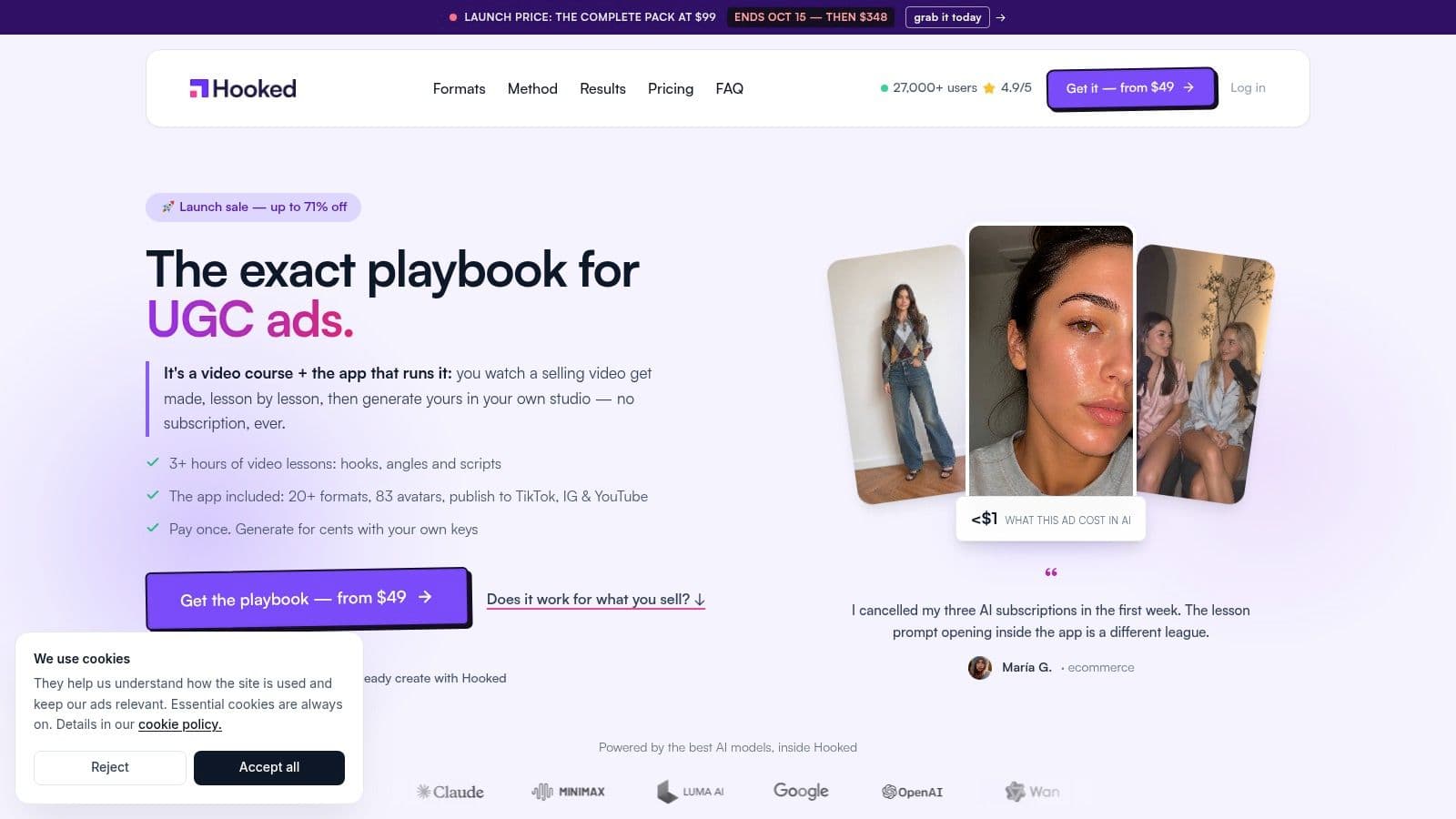
Hooked is the strongest fit when video creation, trend discovery, and distribution belong in one operating loop. Unlike conventional schedulers, it begins before publishing. Its lessons-driven playbook, daily trend roadmap, niche analytics, competitor monitoring, and copy-ready prompts help creators decide what to make before the Studio turns those ideas into finished short videos.
The AI Video Builder supports drag-and-drop editing, script generation, natural-sounding voiceovers, multilingual production, lip-sync avatars, voice cloning, faceless channels, UGC ads, TikTok slideshows, and Shorts. That makes Hooked a video-production system first and a distribution tool second. Its scheduler can publish or schedule video content across TikTok, Instagram, YouTube, and LinkedIn, so the same workflow can carry an idea from research to production to delivery.
Where Hooked fits best
Hooked's commercial appeal comes from its one-time pack model. The Course is available from 99 launch price and is listed to later become 89, based on the supplied product information. Video generation uses your own provider keys, including OpenRouter and ElevenLabs, so you pay those providers directly rather than buying an opaque platform credit markup. The setup takes more effort, but it gives experienced operators clearer control over generation costs.
The platform reports 27,000+ users and aggregate ratings of approximately 4.8 to 4.9 out of 5, according to the supplied product information. Treat that as social proof, not as a substitute for testing your own creative process.
Best fit: Choose Hooked when the bottleneck is producing enough on-brand video, not merely placing completed posts on a calendar.
The trade-off is operational. You'll need to configure and manage third-party AI keys, and advanced advertisers may still want separate tools for complex campaign stacks. For creators, D2C brands, performance marketers, and small agencies, though, Hooked offers a more complete video workflow than a standard scheduler.
2. Hootsuite
Hootsuite is built for organizations that need social publishing alongside customer care, monitoring, governance, and reporting. It supports major networks including Instagram, TikTok, Facebook, X, LinkedIn, YouTube, Pinterest, Threads, and Bluesky, giving larger teams broad destination coverage from one operating environment.
Its publishing system handles cross-platform scheduling, while the unified social inbox brings engagement work into the same workspace. Brand and competitor monitoring, customizable reports, AI-assisted drafting through Wisdom, and modular Social OS components extend the product beyond simple queue management. Paid tiers offer unlimited posting, but the practical value depends on whether your team uses the wider operating layer.
For a creator who only needs to schedule finished content, Hootsuite can feel oversized. A social team with assigned roles, approval gates, SSO requirements, customer-response responsibilities, and stakeholder reporting has a different calculation. The software earns its place when publishing is one part of a controlled social operation.
The operational trade-off
Hootsuite's pricing logic is tied closely to users, tiers, and gated capabilities. That matters because adding collaborators can increase the cost faster than adding posts. Higher-level features also require careful plan validation, so buyers should test the exact approval, reporting, listening, and account permissions they need before signing.
For a broader feature comparison, see this guide to the best social media scheduling tools. Hootsuite is a governance-first recommendation, not the default winner for every multi-platform posting workflow.
3. Buffer
Buffer keeps the publishing experience deliberately light. Its per-channel pricing and free tier make it attractive to creators, small businesses, and agencies that regularly add or remove networks without wanting a large social management suite.
The free plan supports three channels and 10 posts per channel, according to the supplied product information. Paid tiers add auto-publishing, first-comment scheduling, hashtag management, analytics, team approvals, access levels, API access, and integrations with Canva and Zapier. The interface is easy to learn, which reduces training friction for a small team.
Buffer's limitation is equally clear. It helps you schedule and customize content, but it doesn't replace a dedicated video-production workflow and its social inbox and listening capabilities are lighter than those of enterprise platforms. Teams still need to adapt copy, creative, and format for each network rather than assuming one universal version will perform equally well.
Buffer is strongest when simplicity is the feature. It becomes less compelling when every channel needs a different review, reporting, or engagement process.
The pricing model deserves attention. Per-channel billing can be efficient for a narrow publishing setup, but costs can expand as the number of connected profiles grows. If you're comparing free starting points, this overview of the best free social media scheduler provides useful context. Buffer is a practical choice for lean scheduling, not a replacement for enterprise analytics or deep client operations.
4. Later
Later is a visual planner for teams that think in grids, campaigns, media libraries, and short-form creative. Its calendar-first experience supports Instagram, Facebook, TikTok, LinkedIn, Pinterest, YouTube Shorts, Threads, and Snapchat through its Social Sets model.
The core strength is planning what a campaign will look like before it goes live. Multi-profile visual scheduling, best-time suggestions, AI caption writing, content ideas, Link-in-Bio tools, and analytics give visual brands a coherent publishing surface. Competitive benchmarking and deeper analytics are reserved for higher plans, so the product's value changes significantly depending on whether you need aesthetic planning or stakeholder-grade measurement.
Later's pricing logic revolves around Social Sets and post counts. That makes the cost easy to understand at a small scale, but brands need to model what happens when they add profiles, brands, or higher publishing volume. Annual billing options can affect the total, so buyers should compare the plan against their actual profile structure rather than judging the entry tier alone.
Best use case
Later suits Instagram and TikTok-led brands, influencers, ecommerce teams, and content managers who want a visual workflow. It's less suitable when the central problem is complex approval routing, social care, or advanced listening.
The most important distinction is that Later improves visual distribution planning, not full video production. If your team already has finished Reels, Shorts, or campaign assets, Later can organize them effectively. If you need trend research, scripting, avatars, voiceovers, and video assembly before scheduling, you'll need a separate creation system.
5. Sprout Social
Sprout Social is designed for teams that need publishing, engagement, analytics, and collaboration to work together. Its shared inbox and social care features are particularly relevant when multiple people answer messages, route issues, or preserve conversation context across accounts.
Cross-network scheduling and approval workflows cover the publishing side. Advanced analytics, automated reports, benchmarking, and social listening support the reporting side, although listening and benchmarking are available as add-ons. This makes Sprout more valuable for agencies and brands that must explain performance to stakeholders than for solo operators who only need a reliable content queue.
G2 data cited in the supplied industry coverage places Sprout Social at a reported 9.7 out of 10 for user satisfaction among enterprise-oriented tools, compared with 8.5 for Birdeye and 8.0 for Hootsuite. The figures come from the provided enterprise social media management coverage, and they're best interpreted as buyer-satisfaction signals rather than universal product rankings.
Collaboration before convenience
Sprout's main trade-off is per-seat pricing. As teams add reviewers, account managers, analysts, and community specialists, the subscription can become materially more expensive. The platform makes sense when those roles need shared workflows, report automation, and social care in one system.
For teams trying to manage multiple social media accounts, Sprout is a governance-heavy option. It's powerful, but its depth only pays off when the organization uses it.
6. Loomly
Loomly treats the content calendar as the center of the operation. It's a strong match for agencies and brand teams that need post ideas, structured planning, stakeholder review, and publishing controls without moving every discussion into disconnected documents and chat threads.
The platform supports unlimited scheduling, direct publishing, bulk posting, AI captions, inspiration boards, role management, approval workflows, reporting exports, and integrations with Slack and Microsoft Teams. That combination makes Loomly less about advanced listening and more about moving a piece of content through a predictable production line.
A practical approval workflow
Loomly works well when a social post has to pass through several human decisions. A strategist can plan the calendar, a writer can draft the caption, a designer can attach the asset, and a client or manager can approve it before publication. That reduces the risk of publishing an unfinished campaign or losing context across email.
Its pricing pages are dynamic, so buyers should confirm current limits at checkout. Higher tiers can offer generous account and user allowances, including an unlimited-user option that may control seat costs for larger teams. Listening allotments and some advanced features remain tier-dependent.
Loomly isn't the first choice for deep social intelligence or integrated video creation. It is better understood as a structured planning and approval system. Agencies that need clear handoffs may prefer its calendar experience over a faster but less governed scheduler.
7. Sendible
Sendible is oriented toward agencies managing client accounts, content libraries, reporting, and handoffs. Its flat-rate approach does not charge per user, which changes the economics for teams where many collaborators need access to the same workspaces.
Cross-platform scheduling, bulk uploads, client dashboards, white-label reporting, and customization support the agency model. Higher tiers add priority support and onboarding. The product's strength isn't the broadest enterprise listening layer, but the ability to package publishing and reporting for clients without rebuilding the workflow for every account.
Pricing logic for agencies
Sendible's flat-rate user model can be more predictable than per-seat software when account managers, writers, designers, and clients all participate. The entry price sits above many SMB-focused tools, so a solo creator may not receive enough value from the collaboration layer to justify it.
Reporting and client presentation are central. Agencies can use dashboards and white-label outputs to maintain a branded client experience, while bulk scheduling reduces repetitive publishing work. The platform is less compelling if you need the deepest listening and benchmarking available from enterprise suites.
A forecast cited in the supplied research projects a 23.1% CAGR for social media scheduling tools from 2025 to 2031, as reported in the provided social media API and posting analysis. That projection doesn't prove that Sendible is the right agency purchase, but it reinforces why buyers should evaluate scalability and account economics before committing to a workflow that becomes expensive to change.
8. SocialBee
SocialBee approaches publishing as a content inventory problem. Instead of scheduling each post as an isolated item, you organize content into categories and evergreen queues, then let the system recycle suitable material across your networks.
That structure works for creators, small brands, and lean agencies with a fixed library of tips, educational posts, promotions, curated links, and recurring themes. AI content tools, link shorteners, UTM support, workspaces, and basic approvals extend the workflow without turning it into an enterprise suite.
SocialBee's value appears after the initial setup. Category queues require more planning than a one-time broadcast, but they can keep a balanced calendar moving when a small team can't create new material for every publishing slot. The system is therefore best for repeatable content operations, not campaigns that depend on a single launch moment or highly customized daily posts.
Where it falls short
Analytics and reporting are more limited than those in Sprout Social or Metricool. User, team, and profile caps also become important as an agency or brand portfolio expands. Buyers should assess whether their content is evergreen and whether recycling rules can respect platform-specific context.
SocialBee is a good fit when consistency matters more than deep reporting. It's a weaker fit when every post needs bespoke creative, extensive approval, or detailed cross-network analysis.
9. Metricool
Metricool is the analytics-led choice for teams that want publishing connected to broader performance measurement. Its scheduling workflow includes bulk upload, best-time suggestions, competitor tracking, link-in-bio tools, API access, and a brand-based scaling model.
The important distinction is its reporting scope. Metricool brings together organic and advertising dashboards across Meta, Google, and TikTok, allowing teams to examine paid and organic activity in a shared analytical environment. Customizable reports and competitor tracking make it especially useful for agencies, multi-location brands, and marketers who need to turn channel data into decisions.
Analytics before automation
Metricool doesn't lead with the deepest AI content adaptation. Its advantage is helping a team answer questions such as which network deserves more attention, which content category is underperforming, and how paid activity relates to organic publishing. Advanced analytics, API access, and collaboration features depend on plan level, and lower tiers have user limits.
The brand-based pricing model can be easier to understand than a pure per-channel structure when each client or location maps cleanly to a brand. It can become less convenient when one brand contains many disconnected teams or complex permission requirements.
Use Metricool when measurement changes the publishing plan. If the central requirement is generating high volumes of finished short-form video, pair analytics with a production tool rather than expecting the scheduler to create the creative system itself.
10. Publer
Publer is a value-focused scheduler for creators, small businesses, and agencies that batch their work. Its workflow emphasizes calendars, queues, bulk actions, post recycling, media libraries, workspaces, link tracking, RSS automation, and configurable team roles.
The pricing configurator lets smaller teams adjust cost according to account and member requirements. That's useful for an agency that needs more profiles but doesn't want to jump immediately into an enterprise suite. Paid tiers add approvals and broader collaboration, while analytics remain comparatively basic.
Publer's strongest use case is a batch-production day. A team can prepare a library, organize posts, apply queues, and distribute content across connected networks without manually rebuilding every publishing slot. This is different from Hooked's creation-led workflow and different from Metricool's analytics-led workflow.
The candid trade-off
Publer offers a strong price-to-feature balance, but it doesn't provide the same enterprise controls as Hootsuite or Sprout Social. Teams should also test the exact platforms they rely on because unified posting depends on native APIs, and support can change as platform requirements change.
The supplied research notes that unified posting APIs can reach 9 to 30+ platforms, while access still depends on native APIs such as Meta Graph, X, LinkedIn, TikTok, YouTube, Pinterest, Threads, and Bluesky. That coverage is useful, but it also means buyers should test failed publishes, retry behavior, and analytics completeness instead of assuming every connected destination behaves identically.
Top 10 Multi-Platform Posting Apps Comparison
| Tool | Core features | Quality ★ | Price & Value 💰 | Target 👥 | Unique ✨ |
|---|---|---|---|---|---|
| Hooked 🏆 | AI Video Builder, real-time trend tracking, 30‑day roadmap, avatars & scheduler | ★★★★☆ 4.8/5 | 💰 One‑time packs 348; Studio ~$89; pay‑your‑AI‑keys (cents/video) | 👥 Creators, D2C brands, small agencies | ✨ Lesson→Studio flow + copyable viral formats, 29‑lang voiceovers |
| Hootsuite | Cross‑platform scheduling, listening, unified inbox, advanced reports | ★★★★☆ | 💰 Per‑user tiers, scales with team | 👥 Enterprises & large agencies | ✨ Modular Social OS, governance & approvals |
| Buffer | Simple scheduler, per‑channel pricing, Canva/Zapier integrations | ★★★☆☆ | 💰 Per‑channel + free tier (3 ch/10 posts) | 👥 Creators, SMBs, small agencies | ✨ Transparent billing & clean UX |
| Later | Visual calendar, AI captions, best‑time suggestions, Social Sets | ★★★☆☆ | 💰 Post‑count/social sets pricing; annual discounts | 👥 Influencers & visual brands | ✨ Strong mobile visual planning |
| Sprout Social | Publishing, shared inbox, approval workflows, advanced analytics | ★★★★☆ | 💰 Per‑seat enterprise pricing | 👥 Agencies & mid‑large brands | ✨ Best‑in‑class collaboration & presentation reports |
| Loomly | Calendar‑first planning, approvals, AI captions, Slack/Teams integrations | ★★★☆☆ | 💰 Tiered plans; top plan includes unlimited users | 👥 Brand teams & agencies needing approvals | ✨ Structured approval workflows |
| Sendible | Agency scheduler, white‑label dashboards, unlimited users across plans | ★★★☆☆ | 💰 Flat‑rate, no per‑user fees (predictable) | 👥 Agencies with client reporting needs | ✨ White‑label + client dashboards |
| SocialBee | Category queues, evergreen recycling, AI content tools | ★★★☆☆ | 💰 Cost‑effective entry, automation focused | 👥 Small brands, creators, lean teams | ✨ Category-based evergreen automation |
| Metricool | Scheduling + deep analytics, ad dashboards (Meta/Google/TikTok) | ★★★★☆ | 💰 Per‑brand pricing; add‑ons for advanced analytics | 👥 Teams needing unified ad+organic insights | ✨ Strong analytics vs price band |
| Publer | Auto‑publish, bulk scheduling, media libraries, configurable pricing | ★★★☆☆ | 💰 Competitive, configurable seats/accounts | 👥 Creators & small agencies | ✨ Fine‑grained pricing configurator |
Choose the Workflow You Can Sustain
The best multi platform posting app depends on where your team loses time. If video creation is the bottleneck, a scheduler alone won't solve it. If the creative already exists but publishing is repetitive, a production suite may add complexity without improving output.
Start with the workflow that matches your operating reality:
- Choose Hooked when trend discovery, short-form video creation, and publishing should happen in one workflow. Its Studio separates it from conventional schedulers because it helps produce scripts, voiceovers, avatars, and finished videos before distributing them across supported networks.
- Choose Buffer or Publer for lean scheduling. Buffer is easier to learn and uses per-channel pricing, while Publer is better suited to bulk uploads, queues, workspaces, and configurable small-team operations.
- Choose Later when visual planning drives the campaign. Its calendar and media organization are more important than broad governance or deep listening.
- Choose SocialBee when you have a reusable content library and want category-based evergreen queues to maintain consistency.
- Choose Metricool when analytics should determine where you publish, what you repeat, and how you explain performance to clients or stakeholders.
- Choose Loomly or Sendible for agency coordination. Loomly emphasizes calendars and approvals, while Sendible's user-friendly pricing structure and client reporting are better aligned with agency handoffs.
- Choose Hootsuite or Sprout Social when publishing is only one part of a broader operation involving governance, care, monitoring, listening, permissions, and reporting.
Audience fragmentation makes this decision more important. DataReportal's 2026 analysis says the typical social user engages with around 6.84 different platforms per month, while average daily social usage is about 2 hours and 21 minutes, according to the provided Forbes Advisor social media statistics. A single-channel workflow may still be right for a focused creator, but many brands now need a coordinated presence across several networks.
Don't treat cross-posting as identical duplication. Buffer's 2026 analysis of more than 52 million posts reports different median engagement patterns across LinkedIn, Facebook, and Instagram, while the supplied research notes that Socialinsider also finds platform-specific differences in posting frequency and engagement. The practical conclusion is that your chosen tool should let you localize hooks, captions, formats, and cadence when the audience or network demands it.
AI is already part of the operating environment. The supplied 2026 adoption data says 65% of marketing teams use AI for at least some content creation or scheduling, 48% of companies have integrated AI into their core social workflow, and adoption reaches 84% in enterprises versus 31% in microbusinesses. That makes AI assistance less of a novelty and more of a workflow question. Ask whether it creates useful platform-specific output, reduces review time, or adds another caption generator to the stack.
Before committing, test your actual content and accounts. Verify native publishing permissions, approval steps, analytics requirements, profile limits, failure notifications, retry handling, and the cost of adding users, brands, channels, or AI usage. A tool that looks inexpensive at entry can become costly when your team expands, while a more expensive platform may be rational if it removes client coordination or reporting work your team performs every week.
Hooked combines trend research, AI-assisted short-form video creation, and scheduling across TikTok, Instagram, YouTube, and LinkedIn, making it a useful option when distribution and production need to stay connected. Visit Hooked to assess whether its video-first workflow fits the way you plan, create, and publish content across platforms.